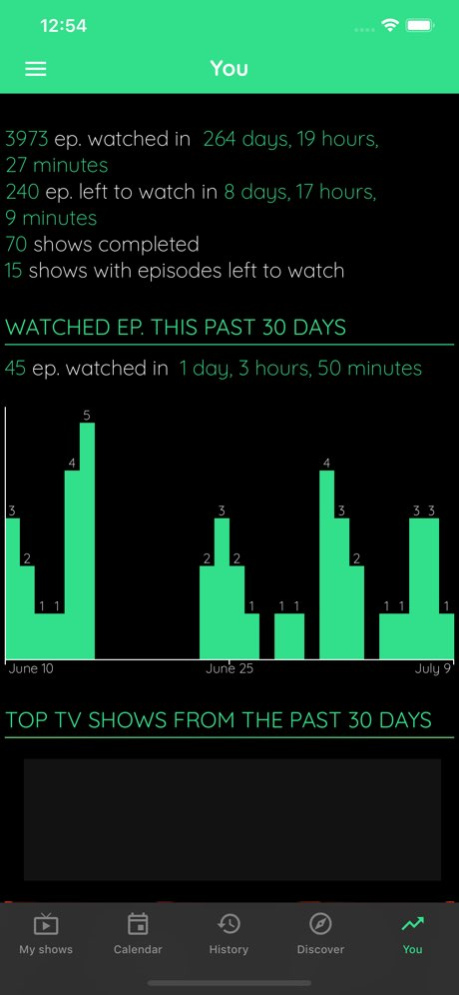
About TV Show & Movie Tracker
TV Show Tracker let you discover, track and comment your favorite TV shows & movies on phone or tablet - seasons, details, casts and much more! TV Show Tracker is powered up by trakt ! Main features : - FAST access to...
TV Show Tracker let you discover, track and comment your favorite TV shows & movies on phone or tablet - seasons, details, casts and much more! TV Show Tracker is powered up by trakt ! Main features : - FAST access to your all your trakt tv shows & movies, - CLEAN and efficient design, - DISCOVER popular and trending shows from trakt, - STATS about your tv shows consumption, - CALENDAR with NOTIFICATIONS of incoming episodes, - KEEP TRACK of your progress, - OFFLINE ACCESS to your data, - FREE access to all main features with no restriction on show number, - BACKUP your data to your trakt account, - A WINDOWS version is available and you can use the Trakt web site on the go too ! - Get notifications and reminders for new season premieres, - Full Trakt.TV integration & Trakt sync, - NOTIFICATIONS on EVERY DEVICE you have the app installed (and not only the last one). - Series manager & series guide & TV tracker, - View the CHANNEL and network your series is airing on, - More than 80,000 shows in our trakt series guide. - Mark episodes you've seen to remember what you need to watch next, - Browse all episodes for all shows in an easy way, - TV time alerts for next episodes, - View the next episode you should watch, and the episode information, - Overview of all the upcoming episodes and those you didn't watch yet. - count the number of episodes you didn't watch yet, - back-up your entire watched episodes watched list, - track your collected movies, put them in watchlist, - rate movies, tv shows, seasons or episodes Thousands and thousands of tv shows & movies are available through the app via trakt to build this TV Show tracker. TV Show Tracker let you manage tv shows broadcasted on every possible channels. You can access millions of movies description too. * A trakt.tv account is required to save your data online and sync between devices where TV Show Tracker is available * * Most of the images are provided by http://themoviedb.org and not by trakt itself* * TV Show Tracker do not produce the data / information of the shows, it only display them efficiently * * TV Show Tracker cannot be connected to BetaSeries or TV Time (TV Show Time) * This product uses the TMDB API but is not endorsed or certified by TMDB. Movie and TV show images are provided by TMDB and remain the property of their respective rights holders.* TV Show Tracker use tmdb, tvdb, justwatch and rotten tomatoes to fetch information about tv shows and not only trakt. Terms of Use (EULA): https://www.apple.com/legal/internet-services/itunes/dev/stdeula/
Version History Home screen • On the Home screen, the group of current shows you are up to date with is now split in two: the shows whose next episode has a known air date stay first, and the ones with no known next episode move to a group just below, which you can fold away. A setting lets you go back to a single group. • The group headers of the Home screen now wrap on a second line instead of being cut off, so a long title such as the season split ones stays readable. • When the shows with episodes to watch are split by season, a new setting lets you show the seasons still airing above the complete ones. • The settings of the Home screen groups have been redesigned: a preview shows the groups your Home screen will display, top to bottom, and updates as you flip each switch. Each switch now says what it splits off and where the shows stay when it is off. Movies • Your watched and collected movies can now be sorted by the rating you gave them, best first or worst first. Movies you have not rated stay at the bottom. Your stats • The stats screen now opens with your profile: your Trakt cover and photo, your name and a link to your lists. • The block of figures under your profile is replaced by two cards, one for TV shows and one for movies: a large count of what you have watched with the total time, a bar showing how much is watched, left to watch and waiting in your watchlist, and for shows a completion ring with the number of completed shows and the ones still in progress. • Tapping your photo on the stats screen or in the side menu tells you where to change it and opens your Trakt profile settings. • The 30-day episode chart of the stats screen is replaced by a screen time block: your daily watch time over the last 7 or 30 days, TV shows and movies stacked, with your daily average, your totals and how they compare with the previous period, and the times of day you watch the most. Tap a day to see its detail. • Your top shows now sit in a single section with a 30 days / all time switch. The first show gets a large card with its poster, and every show displays its watch time, a bar compared with the first one and the share of your screen time it represents. 20.0 Sep 24 HIGHLIGHTS - The app window can now be resized freely, which is especially handy on Mac and iPad. Every screen follows the new size while you drag, and the poster grids add or remove columns instead of leaving gaps, so the app sits comfortably in Split View, Slide Over and Stage Manager. - Import a backup to Trakt: the watched episodes and movies, collection, watchlist, ratings, personal notes and lists of a .tvstbackup file are sent to the account you are signed in with. The app tells you beforehand what fits under your account limits, follows the import step by step, and never removes anything from the account. HOME SCREENS - On the Movies home screen, watchlisted movies not released yet now have their own section, with its own sort order. Two settings let you go back to a single section or show the upcoming one first. - An optional setting splits the shows with episodes to watch into two groups: first those whose next season has finished airing and can be watched in one go, then those whose season is still airing. - Shows whose next episode closes a season carry a season finale tag, and those reaching their very last episode a series finale tag. The calendar makes the same distinction. - A long press on a Home calendar item opens the episode actions sheet: mark as watched, at a given date or as not watched, rate, check in or share without leaving the calendar. SHOWS AND MOVIES - Tapping a title in Discover, similar titles or recommendations opens a rich preview with artwork, key facts, synopsis and quick actions, instead of the previous compact menu. - The season menu has been redesigned: season poster, synopsis, a chart of episode ratings, and every season action within reach. - Marking a season as watched, alone or with the previous ones, now asks for the date and time, so a catch-up no longer lands in your history as if it happened today. - The menu of a show or movie page is now the same rich sheet used for seasons and episodes, with actions grouped by what they do. Favourites are managed from Add to a list, next to your watchlist and collection. - A new page lists the full cast and crew, searchable by name or character, and filterable by cast, crew or number of episodes. - The Episodes tab now shows the air date of every episode. Two new settings control whether rows show these dates and your watch count. PEOPLE - Crew credits on a person's page can be filtered by role, such as director, writer or producer. - Shortcuts at the top of a person's page jump straight to any credit group. DATA AND SYNCHRONISATION - A new page explains where a title's data comes from, when Trakt last updated it and when the app downloaded it. Trakt VIP members can request an immediate resynchronisation from there. - A new Pending operations screen lists the changes made on this device that Trakt has not received yet, with a filter for the ones still waiting or given up on. 19.0 Sep 13 • A single action can now mark every remaining episode of a show as watched. • Watchlist, rating, and favorite changes are now kept while you are offline and synchronized with Trakt when you reconnect. • Long-pressing a show, movie, or episode now opens a redesigned action sheet with clearer information and actions. • You can now choose the grid thumbnail size from Settings, or directly from the Home screen with a pinch gesture, so you can fit more titles on screen or prioritize larger cover art. • The dark and light theme choice is now free for everyone. • Show and movie details now display ratings from IMDb, Rotten Tomatoes, Metacritic, TMDB, and Letterboxd, with a dedicated panel showing the full Trakt vote distribution. • Movie pages now tell you whether a scene plays during or after the credits, so you know whether it is worth staying until the end. • Tapping the age rating on a show or movie page now opens a short explanation of what that rating allows. 18.6.0 Aug 20 • New, more elegant list design — richer details and cover art at a glance. • You can now change the privacy of a list. • The list header now displays the description, creation date, last update date, and item count. • List items now indicate whether a title is already in your watchlist, watched, or your progress (for shows). • Each item's rank in a list is now displayed, making it easier to browse. • You can now share a list. • You can now search for lists on Trakt directly from the search page. • You can now search for people (cast or crew) from the search page. • A new page listing recent show status changes is now available from the home page menu. 18.5.4.1 Aug 8 • New, more elegant list design — richer details and cover art at a glance. • You can now change the privacy of a list. • The list header now displays the description, creation date, last update date, and item count. • List items now indicate whether a title is already in your watchlist, watched, or your progress (for shows). • Each item's rank in a list is now displayed, making it easier to browse. • You can now share a list. • You can now search for lists on Trakt directly from the search page. • You can now search for people (cast or crew) from the search page. • A new page listing recent show status changes is now available from the home page menu. 18.5.4 Aug 7 • New, more elegant list design — richer details and cover art at a glance. • You can now change the privacy of a list. • The list header now displays the description, creation date, last update date, and item count. • List items now indicate whether a title is already in your watchlist, watched, or your progress (for shows). • Each item's rank in a list is now displayed, making it easier to browse. • You can now share a list. • You can now search for lists on Trakt directly from the search page. • You can now search for people (cast or crew) from the search page. • A new page listing recent show status changes is now available from the home page menu. 18.5.2 Jul 14 • New, more elegant list design — richer details and cover art at a glance. • You can now change the privacy of a list. • The list header now displays the description, creation date, last update date, and item count. • List items now indicate whether a title is already in your watchlist, watched, or your progress (for shows). • Each item's rank in a list is now displayed, making it easier to browse. • You can now share a list. • You can now search for lists on Trakt directly from the search page. • You can now search for people (cast or crew) from the search page. • A new page listing recent show status changes is now available from the home page menu. 18.5.1 Jul 8 • New, more elegant list design — richer details and cover art at a glance. • You can now change the privacy of a list. • The list header now displays the description, creation date, last update date, and item count. • List items now indicate whether a title is already in your watchlist, watched, or your progress (for shows). • Each item's rank in a list is now displayed, making it easier to browse. • You can now share a list. • You can now search for lists on Trakt directly from the search page. • You can now search for people (cast or crew) from the search page. • A new page listing recent show status changes is now available from the home page menu. 18.5 Jul 7 • You can now add or edit personal notes for shows and movies from the long-press menu on home page items. It is also available from the details page menu for a movie or show. • VIP Trakt only: personal notes now sync across your devices and with Trakt. • You can now show a badge with the number of episodes remaining in the current season on home page shows. • You can now show a badge with the beginning of your personal notes on home page shows. This is useful if you want to display custom tags. 18.4 Jun 16 • Refreshed design for tags and badges on list items: cleaner and more modern look. • New optional "complete season" badge on show and movie list items: displays "S0XE0Y READY" when a full season is available to start, and collapses to a small icon once you've begun watching. Perfect if you prefer to wait for a full season before diving in. • New dedicated settings page with a live preview to configure exactly what is shown on each list item (shows and movies). • New search engine selector on the search page: TMDB is now available, handy when no result is found and to filter by year. 18.3 Jun 8 • Widgets are supported: incoming episodes, next episodes to watch, recently aired episodes and watchlisted movies can now be on your home screen! • New design for the settings screen: clearer and easier to find a setting. • Added a search engine in the settings. 18.2.2 May 19 • Widgets are supported: incoming episodes, next episodes to watch, recently aired episodes and watchlisted movies can now be on your home screen! • New design for the settings screen: clearer and easier to find a setting. • Added a search engine in the settings. 18.2.1 May 14 • Widgets are supported: incoming episodes, next episodes to watch, recently aired episodes and watchlisted movies can now be on your home screen! • New design for the settings screen: clearer and easier to find a setting. • Added a search engine in the settings. 18.2.0 May 13 • The Stats page now features a dedicated "Top Shows" view: see your most-watched series of all time and of the last month, ranked with a full-screen banner for #1. • You can now sort the items in your personal lists. • Search filters have been removed as Trakt no longer supports them. 18.1.3 May 3 • The Stats page now features a dedicated "Top Shows" view: see your most-watched series of all time and of the last month, ranked with a full-screen banner for #1. • You can now sort the items in your personal lists. • Search filters have been removed as Trakt no longer supports them. 18.1.2 May 1 • The Stats page now features a dedicated "Top Shows" view: see your most-watched series of all time and of the last month, ranked with a full-screen banner for #1. • You can now sort the items in your personal lists. • Search filters have been removed as Trakt no longer supports them. 18.1.1 Apr 29 • The Stats page now features a dedicated "Top Shows" view: see your most-watched series of all time and of the last month, ranked with a full-screen banner for #1. • You can now sort the items in your personal lists. • Search filters have been removed as Trakt no longer supports them. 18.1.0 Apr 28 • You can now export your data as a CSV file, with guidance for importing it too. • You can now disable the swipe gesture that marks the next episode as watched from the show list : useful if you trigger it by accident. 18.0.1 Apr 9 • You can now export your data as a CSV file, with guidance for importing it too. • You can now disable the swipe gesture that marks the next episode as watched from the show list : useful if you trigger it by accident. 18.0 Apr 8 • Added a new “Photos” tab on show and movie detail pages. • You can now long-press a photo to set it as the default thumbnail for a show or movie. • Home items: the long-press menu now includes an option to view the poster full screen. • Show / movie details: tap the images at the top of the screen to view them full screen. • You can now add a comment on shows, movies, episodes and even reply to a comment. Simply click the "+" button at the bottom right of the screen. • You can now quickly jump to the next episode to watch in the episode list by clicking the "↓" button at the bottom right. 17.9.2 Feb 28 • Added a new “Photos” tab on show and movie detail pages. • You can now long-press a photo to set it as the default thumbnail for a show or movie. • Home items: the long-press menu now includes an option to view the poster full screen. • Show / movie details: tap the images at the top of the screen to view them full screen. • You can now add a comment on shows, movies, episodes and even reply to a comment. Simply click the "+" button at the bottom right of the screen. • You can now quickly jump to the next episode to watch in the episode list by clicking the "↓" button at the bottom right. 17.9.1 Feb 27 • Added a new “Photos” tab on show and movie detail pages. • You can now long-press a photo to set it as the default thumbnail for a show or movie. • Home items: the long-press menu now includes an option to view the poster full screen. • Show / movie details: tap the images at the top of the screen to view them full screen. • You can now add a comment on shows, movies, episodes and even reply to a comment. Simply click the "+" button at the bottom right of the screen. • You can now quickly jump to the next episode to watch in the episode list by clicking the "↓" button at the bottom right. 17.9 Feb 26 • You can now choose how "Groups with TV Shows to start watching" are sorted. Default is "number of episode reversed" so it will put TV shows without episodes to watch at the end. • You can now be prompted for a rating each time you set a movie as watched: enable it now in the "various" setting`s tab. • Added a “Hide season and previous” option in the season menu. • Long-pressing a group header in the shows or movie list now allows choosing how items are sorted within that group. 17.8.3 Feb 12 • You can now choose how "Groups with TV Shows to start watching" are sorted. Default is "number of episode reversed" so it will put TV shows without episodes to watch at the end. • You can now be prompted for a rating each time you set a movie as watched: enable it now in the "various" setting`s tab. • Added a “Hide season and previous” option in the season menu. • Long-pressing a group header in the shows or movie list now allows choosing how items are sorted within that group. 17.8.2 Feb 10 • You can now choose how "Groups with TV Shows to start watching" are sorted. Default is "number of episode reversed" so it will put TV shows without episodes to watch at the end. • You can now be prompted for a rating each time you set a movie as watched: enable it now in the "various" setting`s tab. • Added a “Hide season and previous” option in the season menu. • Long-pressing a group header in the shows or movie list now allows choosing how items are sorted within that group. 17.8.1 Feb 6
Previous Versions
Here you can find the changelog of TV Show & Movie Tracker since it was posted on our website on 2021-12-14 20:55:50.
The latest version is 20.0 and it was updated on 2026-10-07 08:33:45. See below the changes in each version.
TV Show & Movie Tracker version 20.0
Updated At: 2026-10-06
Changes: Version History Home screen
• On the Home screen, the group of current shows you are up to date with is now split in two: the shows whose next episode has a known air date stay first, and the ones with no known next episode move to a group just below, which you can fold away. A setting lets you go back to a single group.
• The group headers of the Home screen now wrap on a second line instead of being cut off, so a long title such as the season split ones stays readable.
• When the shows with episodes to watch are split by season, a new setting lets you show the seasons still airing above the complete ones.
• The settings of the Home screen groups have been redesigned: a preview shows the groups your Home screen will display, top to bottom, and updates as you flip each switch. Each switch now says what it splits off and where the shows stay when it is off.
Movies
• Your watched and collected movies can now be sorted by the rating you gave them, best first or worst first. Movies you have not rated stay at the bottom.
Your stats
• The stats screen now opens with your profile: your Trakt cover and photo, your name and a link to your lists.
• The block of figures under your profile is replaced by two cards, one for TV shows and one for movies: a large count of what you have watched with the total time, a bar showing how much is watched, left to watch and waiting in your watchlist, and for shows a completion ring with the number of completed shows and the ones still in progress.
• Tapping your photo on the stats screen or in the side menu tells you where to change it and opens your Trakt profile settings.
• The 30-day episode chart of the stats screen is replaced by a screen time block: your daily watch time over the last 7 or 30 days, TV shows and movies stacked, with your daily average, your totals and how they compare with the previous period, and the times of day you watch the most. Tap a day to see its detail.
• Your top shows now sit in a single section with a 30 days / all time switch. The first show gets a large card with its poster, and every show displays its watch time, a bar compared with the first one and the share of your screen time it represents. 20.0 Sep 24 HIGHLIGHTS
- The app window can now be resized freely, which is especially handy on Mac and iPad. Every screen follows the new size while you drag, and the poster grids add or remove columns instead of leaving gaps, so the app sits comfortably in Split View, Slide Over and Stage Manager.
- Import a backup to Trakt: the watched episodes and movies, collection, watchlist, ratings, personal notes and lists of a .tvstbackup file are sent to the account you are signed in with. The app tells you beforehand what fits under your account limits, follows the import step by step, and never removes anything from the account.
HOME SCREENS
- On the Movies home screen, watchlisted movies not released yet now have their own section, with its own sort order. Two settings let you go back to a single section or show the upcoming one first.
- An optional setting splits the shows with episodes to watch into two groups: first those whose next season has finished airing and can be watched in one go, then those whose season is still airing.
- Shows whose next episode closes a season carry a season finale tag, and those reaching their very last episode a series finale tag. The calendar makes the same distinction.
- A long press on a Home calendar item opens the episode actions sheet: mark as watched, at a given date or as not watched, rate, check in or share without leaving the calendar.
SHOWS AND MOVIES
- Tapping a title in Discover, similar titles or recommendations opens a rich preview with artwork, key facts, synopsis and quick actions, instead of the previous compact menu.
- The season menu has been redesigned: season poster, synopsis, a chart of episode ratings, and every season action within reach.
- Marking a season as watched, alone or with the previous ones, now asks for the date and time, so a catch-up no longer lands in your history as if it happened today.
- The menu of a show or movie page is now the same rich sheet used for seasons and episodes, with actions grouped by what they do. Favourites are managed from Add to a list, next to your watchlist and collection.
- A new page lists the full cast and crew, searchable by name or character, and filterable by cast, crew or number of episodes.
- The Episodes tab now shows the air date of every episode. Two new settings control whether rows show these dates and your watch count.
PEOPLE
- Crew credits on a person's page can be filtered by role, such as director, writer or producer.
- Shortcuts at the top of a person's page jump straight to any credit group.
DATA AND SYNCHRONISATION
- A new page explains where a title's data comes from, when Trakt last updated it and when the app downloaded it. Trakt VIP members can request an immediate resynchronisation from there.
- A new Pending operations screen lists the changes made on this device that Trakt has not received yet, with a filter for the ones still waiting or given up on. 19.0 Sep 13 • A single action can now mark every remaining episode of a show as watched.
• Watchlist, rating, and favorite changes are now kept while you are offline and synchronized with Trakt when you reconnect.
• Long-pressing a show, movie, or episode now opens a redesigned action sheet with clearer information and actions.
• You can now choose the grid thumbnail size from Settings, or directly from the Home screen with a pinch gesture, so you can fit more titles on screen or prioritize larger cover art.
• The dark and light theme choice is now free for everyone.
• Show and movie details now display ratings from IMDb, Rotten Tomatoes, Metacritic, TMDB, and Letterboxd, with a dedicated panel showing the full Trakt vote distribution.
• Movie pages now tell you whether a scene plays during or after the credits, so you know whether it is worth staying until the end.
• Tapping the age rating on a show or movie page now opens a short explanation of what that rating allows. 18.6.0 Aug 20 • New, more elegant list design — richer details and cover art at a glance.
• You can now change the privacy of a list.
• The list header now displays the description, creation date, last update date, and item count.
• List items now indicate whether a title is already in your watchlist, watched, or your progress (for shows).
• Each item's rank in a list is now displayed, making it easier to browse.
• You can now share a list.
• You can now search for lists on Trakt directly from the search page.
• You can now search for people (cast or crew) from the search page.
• A new page listing recent show status changes is now available from the home page menu. 18.5.4.1 Aug 8 • New, more elegant list design — richer details and cover art at a glance.
• You can now change the privacy of a list.
• The list header now displays the description, creation date, last update date, and item count.
• List items now indicate whether a title is already in your watchlist, watched, or your progress (for shows).
• Each item's rank in a list is now displayed, making it easier to browse.
• You can now share a list.
• You can now search for lists on Trakt directly from the search page.
• You can now search for people (cast or crew) from the search page.
• A new page listing recent show status changes is now available from the home page menu. 18.5.4 Aug 7 • New, more elegant list design — richer details and cover art at a glance.
• You can now change the privacy of a list.
• The list header now displays the description, creation date, last update date, and item count.
• List items now indicate whether a title is already in your watchlist, watched, or your progress (for shows).
• Each item's rank in a list is now displayed, making it easier to browse.
• You can now share a list.
• You can now search for lists on Trakt directly from the search page.
• You can now search for people (cast or crew) from the search page.
• A new page listing recent show status changes is now available from the home page menu. 18.5.2 Jul 14 • New, more elegant list design — richer details and cover art at a glance.
• You can now change the privacy of a list.
• The list header now displays the description, creation date, last update date, and item count.
• List items now indicate whether a title is already in your watchlist, watched, or your progress (for shows).
• Each item's rank in a list is now displayed, making it easier to browse.
• You can now share a list.
• You can now search for lists on Trakt directly from the search page.
• You can now search for people (cast or crew) from the search page.
• A new page listing recent show status changes is now available from the home page menu. 18.5.1 Jul 8 • New, more elegant list design — richer details and cover art at a glance.
• You can now change the privacy of a list.
• The list header now displays the description, creation date, last update date, and item count.
• List items now indicate whether a title is already in your watchlist, watched, or your progress (for shows).
• Each item's rank in a list is now displayed, making it easier to browse.
• You can now share a list.
• You can now search for lists on Trakt directly from the search page.
• You can now search for people (cast or crew) from the search page.
• A new page listing recent show status changes is now available from the home page menu. 18.5 Jul 7 • You can now add or edit personal notes for shows and movies from the long-press menu on home page items. It is also available from the details page menu for a movie or show.
• VIP Trakt only: personal notes now sync across your devices and with Trakt.
• You can now show a badge with the number of episodes remaining in the current season on home page shows.
• You can now show a badge with the beginning of your personal notes on home page shows. This is useful if you want to display custom tags. 18.4 Jun 16 • Refreshed design for tags and badges on list items: cleaner and more modern look.
• New optional "complete season" badge on show and movie list items: displays "S0XE0Y READY" when a full season is available to start, and collapses to a small icon once you've begun watching. Perfect if you prefer to wait for a full season before diving in.
• New dedicated settings page with a live preview to configure exactly what is shown on each list item (shows and movies).
• New search engine selector on the search page: TMDB is now available, handy when no result is found and to filter by year. 18.3 Jun 8 • Widgets are supported: incoming episodes, next episodes to watch, recently aired episodes and watchlisted movies can now be on your home screen!
• New design for the settings screen: clearer and easier to find a setting.
• Added a search engine in the settings. 18.2.2 May 19 • Widgets are supported: incoming episodes, next episodes to watch, recently aired episodes and watchlisted movies can now be on your home screen!
• New design for the settings screen: clearer and easier to find a setting.
• Added a search engine in the settings. 18.2.1 May 14 • Widgets are supported: incoming episodes, next episodes to watch, recently aired episodes and watchlisted movies can now be on your home screen!
• New design for the settings screen: clearer and easier to find a setting.
• Added a search engine in the settings. 18.2.0 May 13 • The Stats page now features a dedicated "Top Shows" view: see your most-watched series of all time and of the last month, ranked with a full-screen banner for #1.
• You can now sort the items in your personal lists.
• Search filters have been removed as Trakt no longer supports them. 18.1.3 May 3 • The Stats page now features a dedicated "Top Shows" view: see your most-watched series of all time and of the last month, ranked with a full-screen banner for #1.
• You can now sort the items in your personal lists.
• Search filters have been removed as Trakt no longer supports them. 18.1.2 May 1 • The Stats page now features a dedicated "Top Shows" view: see your most-watched series of all time and of the last month, ranked with a full-screen banner for #1.
• You can now sort the items in your personal lists.
• Search filters have been removed as Trakt no longer supports them. 18.1.1 Apr 29 • The Stats page now features a dedicated "Top Shows" view: see your most-watched series of all time and of the last month, ranked with a full-screen banner for #1.
• You can now sort the items in your personal lists.
• Search filters have been removed as Trakt no longer supports them. 18.1.0 Apr 28 • You can now export your data as a CSV file, with guidance for importing it too.
• You can now disable the swipe gesture that marks the next episode as watched from the show list : useful if you trigger it by accident. 18.0.1 Apr 9 • You can now export your data as a CSV file, with guidance for importing it too.
• You can now disable the swipe gesture that marks the next episode as watched from the show list : useful if you trigger it by accident. 18.0 Apr 8 • Added a new “Photos” tab on show and movie detail pages.
• You can now long-press a photo to set it as the default thumbnail for a show or movie.
• Home items: the long-press menu now includes an option to view the poster full screen.
• Show / movie details: tap the images at the top of the screen to view them full screen.
• You can now add a comment on shows, movies, episodes and even reply to a comment. Simply click the "+" button at the bottom right of the screen.
• You can now quickly jump to the next episode to watch in the episode list by clicking the "↓" button at the bottom right. 17.9.2 Feb 28 • Added a new “Photos” tab on show and movie detail pages.
• You can now long-press a photo to set it as the default thumbnail for a show or movie.
• Home items: the long-press menu now includes an option to view the poster full screen.
• Show / movie details: tap the images at the top of the screen to view them full screen.
• You can now add a comment on shows, movies, episodes and even reply to a comment. Simply click the "+" button at the bottom right of the screen.
• You can now quickly jump to the next episode to watch in the episode list by clicking the "↓" button at the bottom right. 17.9.1 Feb 27 • Added a new “Photos” tab on show and movie detail pages.
• You can now long-press a photo to set it as the default thumbnail for a show or movie.
• Home items: the long-press menu now includes an option to view the poster full screen.
• Show / movie details: tap the images at the top of the screen to view them full screen.
• You can now add a comment on shows, movies, episodes and even reply to a comment. Simply click the "+" button at the bottom right of the screen.
• You can now quickly jump to the next episode to watch in the episode list by clicking the "↓" button at the bottom right. 17.9 Feb 26 • You can now choose how "Groups with TV Shows to start watching" are sorted. Default is "number of episode reversed" so it will put TV shows without episodes to watch at the end.
• You can now be prompted for a rating each time you set a movie as watched: enable it now in the "various" setting`s tab.
• Added a “Hide season and previous” option in the season menu.
• Long-pressing a group header in the shows or movie list now allows choosing how items are sorted within that group. 17.8.3 Feb 12 • You can now choose how "Groups with TV Shows to start watching" are sorted. Default is "number of episode reversed" so it will put TV shows without episodes to watch at the end.
• You can now be prompted for a rating each time you set a movie as watched: enable it now in the "various" setting`s tab.
• Added a “Hide season and previous” option in the season menu.
• Long-pressing a group header in the shows or movie list now allows choosing how items are sorted within that group. 17.8.2 Feb 10 • You can now choose how "Groups with TV Shows to start watching" are sorted. Default is "number of episode reversed" so it will put TV shows without episodes to watch at the end.
• You can now be prompted for a rating each time you set a movie as watched: enable it now in the "various" setting`s tab.
• Added a “Hide season and previous” option in the season menu.
• Long-pressing a group header in the shows or movie list now allows choosing how items are sorted within that group. 17.8.1 Feb 6
TV Show & Movie Tracker version 20.0
Updated At: 2026-09-26
Changes: Version History Home screen
• On the Home screen, the group of current shows you are up to date with is now split in two: the shows whose next episode has a known air date stay first, and the ones with no known next episode move to a group just below, which you can fold away. A setting lets you go back to a single group.
• The group headers of the Home screen now wrap on a second line instead of being cut off, so a long title such as the season split ones stays readable.
• When the shows with episodes to watch are split by season, a new setting lets you show the seasons still airing above the complete ones.
• The settings of the Home screen groups have been redesigned: a preview shows the groups your Home screen will display, top to bottom, and updates as you flip each switch. Each switch now says what it splits off and where the shows stay when it is off.
Movies
• Your watched and collected movies can now be sorted by the rating you gave them, best first or worst first. Movies you have not rated stay at the bottom.
Your stats
• The stats screen now opens with your profile: your Trakt cover and photo, your name and a link to your lists.
• The block of figures under your profile is replaced by two cards, one for TV shows and one for movies: a large count of what you have watched with the total time, a bar showing how much is watched, left to watch and waiting in your watchlist, and for shows a completion ring with the number of completed shows and the ones still in progress.
• Tapping your photo on the stats screen or in the side menu tells you where to change it and opens your Trakt profile settings.
• The 30-day episode chart of the stats screen is replaced by a screen time block: your daily watch time over the last 7 or 30 days, TV shows and movies stacked, with your daily average, your totals and how they compare with the previous period, and the times of day you watch the most. Tap a day to see its detail.
• Your top shows now sit in a single section with a 30 days / all time switch. The first show gets a large card with its poster, and every show displays its watch time, a bar compared with the first one and the share of your screen time it represents. 20.0 1d ago HIGHLIGHTS
- The app window can now be resized freely, which is especially handy on Mac and iPad. Every screen follows the new size while you drag, and the poster grids add or remove columns instead of leaving gaps, so the app sits comfortably in Split View, Slide Over and Stage Manager.
- Import a backup to Trakt: the watched episodes and movies, collection, watchlist, ratings, personal notes and lists of a .tvstbackup file are sent to the account you are signed in with. The app tells you beforehand what fits under your account limits, follows the import step by step, and never removes anything from the account.
HOME SCREENS
- On the Movies home screen, watchlisted movies not released yet now have their own section, with its own sort order. Two settings let you go back to a single section or show the upcoming one first.
- An optional setting splits the shows with episodes to watch into two groups: first those whose next season has finished airing and can be watched in one go, then those whose season is still airing.
- Shows whose next episode closes a season carry a season finale tag, and those reaching their very last episode a series finale tag. The calendar makes the same distinction.
- A long press on a Home calendar item opens the episode actions sheet: mark as watched, at a given date or as not watched, rate, check in or share without leaving the calendar.
SHOWS AND MOVIES
- Tapping a title in Discover, similar titles or recommendations opens a rich preview with artwork, key facts, synopsis and quick actions, instead of the previous compact menu.
- The season menu has been redesigned: season poster, synopsis, a chart of episode ratings, and every season action within reach.
- Marking a season as watched, alone or with the previous ones, now asks for the date and time, so a catch-up no longer lands in your history as if it happened today.
- The menu of a show or movie page is now the same rich sheet used for seasons and episodes, with actions grouped by what they do. Favourites are managed from Add to a list, next to your watchlist and collection.
- A new page lists the full cast and crew, searchable by name or character, and filterable by cast, crew or number of episodes.
- The Episodes tab now shows the air date of every episode. Two new settings control whether rows show these dates and your watch count.
PEOPLE
- Crew credits on a person's page can be filtered by role, such as director, writer or producer.
- Shortcuts at the top of a person's page jump straight to any credit group.
DATA AND SYNCHRONISATION
- A new page explains where a title's data comes from, when Trakt last updated it and when the app downloaded it. Trakt VIP members can request an immediate resynchronisation from there.
- A new Pending operations screen lists the changes made on this device that Trakt has not received yet, with a filter for the ones still waiting or given up on. 19.0 Sep 13 • A single action can now mark every remaining episode of a show as watched.
• Watchlist, rating, and favorite changes are now kept while you are offline and synchronized with Trakt when you reconnect.
• Long-pressing a show, movie, or episode now opens a redesigned action sheet with clearer information and actions.
• You can now choose the grid thumbnail size from Settings, or directly from the Home screen with a pinch gesture, so you can fit more titles on screen or prioritize larger cover art.
• The dark and light theme choice is now free for everyone.
• Show and movie details now display ratings from IMDb, Rotten Tomatoes, Metacritic, TMDB, and Letterboxd, with a dedicated panel showing the full Trakt vote distribution.
• Movie pages now tell you whether a scene plays during or after the credits, so you know whether it is worth staying until the end.
• Tapping the age rating on a show or movie page now opens a short explanation of what that rating allows. 18.6.0 Aug 20 • New, more elegant list design — richer details and cover art at a glance.
• You can now change the privacy of a list.
• The list header now displays the description, creation date, last update date, and item count.
• List items now indicate whether a title is already in your watchlist, watched, or your progress (for shows).
• Each item's rank in a list is now displayed, making it easier to browse.
• You can now share a list.
• You can now search for lists on Trakt directly from the search page.
• You can now search for people (cast or crew) from the search page.
• A new page listing recent show status changes is now available from the home page menu. 18.5.4.1 Aug 8 • New, more elegant list design — richer details and cover art at a glance.
• You can now change the privacy of a list.
• The list header now displays the description, creation date, last update date, and item count.
• List items now indicate whether a title is already in your watchlist, watched, or your progress (for shows).
• Each item's rank in a list is now displayed, making it easier to browse.
• You can now share a list.
• You can now search for lists on Trakt directly from the search page.
• You can now search for people (cast or crew) from the search page.
• A new page listing recent show status changes is now available from the home page menu. 18.5.4 Aug 7 • New, more elegant list design — richer details and cover art at a glance.
• You can now change the privacy of a list.
• The list header now displays the description, creation date, last update date, and item count.
• List items now indicate whether a title is already in your watchlist, watched, or your progress (for shows).
• Each item's rank in a list is now displayed, making it easier to browse.
• You can now share a list.
• You can now search for lists on Trakt directly from the search page.
• You can now search for people (cast or crew) from the search page.
• A new page listing recent show status changes is now available from the home page menu. 18.5.2 Jul 14 • New, more elegant list design — richer details and cover art at a glance.
• You can now change the privacy of a list.
• The list header now displays the description, creation date, last update date, and item count.
• List items now indicate whether a title is already in your watchlist, watched, or your progress (for shows).
• Each item's rank in a list is now displayed, making it easier to browse.
• You can now share a list.
• You can now search for lists on Trakt directly from the search page.
• You can now search for people (cast or crew) from the search page.
• A new page listing recent show status changes is now available from the home page menu. 18.5.1 Jul 8 • New, more elegant list design — richer details and cover art at a glance.
• You can now change the privacy of a list.
• The list header now displays the description, creation date, last update date, and item count.
• List items now indicate whether a title is already in your watchlist, watched, or your progress (for shows).
• Each item's rank in a list is now displayed, making it easier to browse.
• You can now share a list.
• You can now search for lists on Trakt directly from the search page.
• You can now search for people (cast or crew) from the search page.
• A new page listing recent show status changes is now available from the home page menu. 18.5 Jul 7 • You can now add or edit personal notes for shows and movies from the long-press menu on home page items. It is also available from the details page menu for a movie or show.
• VIP Trakt only: personal notes now sync across your devices and with Trakt.
• You can now show a badge with the number of episodes remaining in the current season on home page shows.
• You can now show a badge with the beginning of your personal notes on home page shows. This is useful if you want to display custom tags. 18.4 Jun 16 • Refreshed design for tags and badges on list items: cleaner and more modern look.
• New optional "complete season" badge on show and movie list items: displays "S0XE0Y READY" when a full season is available to start, and collapses to a small icon once you've begun watching. Perfect if you prefer to wait for a full season before diving in.
• New dedicated settings page with a live preview to configure exactly what is shown on each list item (shows and movies).
• New search engine selector on the search page: TMDB is now available, handy when no result is found and to filter by year. 18.3 Jun 8 • Widgets are supported: incoming episodes, next episodes to watch, recently aired episodes and watchlisted movies can now be on your home screen!
• New design for the settings screen: clearer and easier to find a setting.
• Added a search engine in the settings. 18.2.2 May 19 • Widgets are supported: incoming episodes, next episodes to watch, recently aired episodes and watchlisted movies can now be on your home screen!
• New design for the settings screen: clearer and easier to find a setting.
• Added a search engine in the settings. 18.2.1 May 14 • Widgets are supported: incoming episodes, next episodes to watch, recently aired episodes and watchlisted movies can now be on your home screen!
• New design for the settings screen: clearer and easier to find a setting.
• Added a search engine in the settings. 18.2.0 May 13 • The Stats page now features a dedicated "Top Shows" view: see your most-watched series of all time and of the last month, ranked with a full-screen banner for #1.
• You can now sort the items in your personal lists.
• Search filters have been removed as Trakt no longer supports them. 18.1.3 May 3 • The Stats page now features a dedicated "Top Shows" view: see your most-watched series of all time and of the last month, ranked with a full-screen banner for #1.
• You can now sort the items in your personal lists.
• Search filters have been removed as Trakt no longer supports them. 18.1.2 May 1 • The Stats page now features a dedicated "Top Shows" view: see your most-watched series of all time and of the last month, ranked with a full-screen banner for #1.
• You can now sort the items in your personal lists.
• Search filters have been removed as Trakt no longer supports them. 18.1.1 Apr 29 • The Stats page now features a dedicated "Top Shows" view: see your most-watched series of all time and of the last month, ranked with a full-screen banner for #1.
• You can now sort the items in your personal lists.
• Search filters have been removed as Trakt no longer supports them. 18.1.0 Apr 28 • You can now export your data as a CSV file, with guidance for importing it too.
• You can now disable the swipe gesture that marks the next episode as watched from the show list : useful if you trigger it by accident. 18.0.1 Apr 9 • You can now export your data as a CSV file, with guidance for importing it too.
• You can now disable the swipe gesture that marks the next episode as watched from the show list : useful if you trigger it by accident. 18.0 Apr 8 • Added a new “Photos” tab on show and movie detail pages.
• You can now long-press a photo to set it as the default thumbnail for a show or movie.
• Home items: the long-press menu now includes an option to view the poster full screen.
• Show / movie details: tap the images at the top of the screen to view them full screen.
• You can now add a comment on shows, movies, episodes and even reply to a comment. Simply click the "+" button at the bottom right of the screen.
• You can now quickly jump to the next episode to watch in the episode list by clicking the "↓" button at the bottom right. 17.9.2 Feb 28 • Added a new “Photos” tab on show and movie detail pages.
• You can now long-press a photo to set it as the default thumbnail for a show or movie.
• Home items: the long-press menu now includes an option to view the poster full screen.
• Show / movie details: tap the images at the top of the screen to view them full screen.
• You can now add a comment on shows, movies, episodes and even reply to a comment. Simply click the "+" button at the bottom right of the screen.
• You can now quickly jump to the next episode to watch in the episode list by clicking the "↓" button at the bottom right. 17.9.1 Feb 27 • Added a new “Photos” tab on show and movie detail pages.
• You can now long-press a photo to set it as the default thumbnail for a show or movie.
• Home items: the long-press menu now includes an option to view the poster full screen.
• Show / movie details: tap the images at the top of the screen to view them full screen.
• You can now add a comment on shows, movies, episodes and even reply to a comment. Simply click the "+" button at the bottom right of the screen.
• You can now quickly jump to the next episode to watch in the episode list by clicking the "↓" button at the bottom right. 17.9 Feb 26 • You can now choose how "Groups with TV Shows to start watching" are sorted. Default is "number of episode reversed" so it will put TV shows without episodes to watch at the end.
• You can now be prompted for a rating each time you set a movie as watched: enable it now in the "various" setting`s tab.
• Added a “Hide season and previous” option in the season menu.
• Long-pressing a group header in the shows or movie list now allows choosing how items are sorted within that group. 17.8.3 Feb 12 • You can now choose how "Groups with TV Shows to start watching" are sorted. Default is "number of episode reversed" so it will put TV shows without episodes to watch at the end.
• You can now be prompted for a rating each time you set a movie as watched: enable it now in the "various" setting`s tab.
• Added a “Hide season and previous” option in the season menu.
• Long-pressing a group header in the shows or movie list now allows choosing how items are sorted within that group. 17.8.2 Feb 10 • You can now choose how "Groups with TV Shows to start watching" are sorted. Default is "number of episode reversed" so it will put TV shows without episodes to watch at the end.
• You can now be prompted for a rating each time you set a movie as watched: enable it now in the "various" setting`s tab.
• Added a “Hide season and previous” option in the season menu.
• Long-pressing a group header in the shows or movie list now allows choosing how items are sorted within that group. 17.8.1 Feb 6
TV Show & Movie Tracker version 19.0
Updated At: 2026-09-19
Changes: Version History HIGHLIGHTS
- The app window can now be resized freely, which is especially handy on Mac and iPad. Every screen follows the new size while you drag, and the poster grids add or remove columns instead of leaving gaps, so the app sits comfortably in Split View, Slide Over and Stage Manager.
- Import a backup to Trakt: the watched episodes and movies, collection, watchlist, ratings, personal notes and lists of a .tvstbackup file are sent to the account you are signed in with. The app tells you beforehand what fits under your account limits, follows the import step by step, and never removes anything from the account.
HOME SCREENS
- On the Movies home screen, watchlisted movies not released yet now have their own section, with its own sort order. Two settings let you go back to a single section or show the upcoming one first.
- An optional setting splits the shows with episodes to watch into two groups: first those whose next season has finished airing and can be watched in one go, then those whose season is still airing.
- Shows whose next episode closes a season carry a season finale tag, and those reaching their very last episode a series finale tag. The calendar makes the same distinction.
- A long press on a Home calendar item opens the episode actions sheet: mark as watched, at a given date or as not watched, rate, check in or share without leaving the calendar.
SHOWS AND MOVIES
- Tapping a title in Discover, similar titles or recommendations opens a rich preview with artwork, key facts, synopsis and quick actions, instead of the previous compact menu.
- The season menu has been redesigned: season poster, synopsis, a chart of episode ratings, and every season action within reach.
- Marking a season as watched, alone or with the previous ones, now asks for the date and time, so a catch-up no longer lands in your history as if it happened today.
- The menu of a show or movie page is now the same rich sheet used for seasons and episodes, with actions grouped by what they do. Favourites are managed from Add to a list, next to your watchlist and collection.
- A new page lists the full cast and crew, searchable by name or character, and filterable by cast, crew or number of episodes.
- The Episodes tab now shows the air date of every episode. Two new settings control whether rows show these dates and your watch count.
PEOPLE
- Crew credits on a person's page can be filtered by role, such as director, writer or producer.
- Shortcuts at the top of a person's page jump straight to any credit group.
DATA AND SYNCHRONISATION
- A new page explains where a title's data comes from, when Trakt last updated it and when the app downloaded it. Trakt VIP members can request an immediate resynchronisation from there.
- A new Pending operations screen lists the changes made on this device that Trakt has not received yet, with a filter for the ones still waiting or given up on. 19.0 5d ago • A single action can now mark every remaining episode of a show as watched.
• Watchlist, rating, and favorite changes are now kept while you are offline and synchronized with Trakt when you reconnect.
• Long-pressing a show, movie, or episode now opens a redesigned action sheet with clearer information and actions.
• You can now choose the grid thumbnail size from Settings, or directly from the Home screen with a pinch gesture, so you can fit more titles on screen or prioritize larger cover art.
• The dark and light theme choice is now free for everyone.
• Show and movie details now display ratings from IMDb, Rotten Tomatoes, Metacritic, TMDB, and Letterboxd, with a dedicated panel showing the full Trakt vote distribution.
• Movie pages now tell you whether a scene plays during or after the credits, so you know whether it is worth staying until the end.
• Tapping the age rating on a show or movie page now opens a short explanation of what that rating allows. 18.6.0 Aug 20 • New, more elegant list design — richer details and cover art at a glance.
• You can now change the privacy of a list.
• The list header now displays the description, creation date, last update date, and item count.
• List items now indicate whether a title is already in your watchlist, watched, or your progress (for shows).
• Each item's rank in a list is now displayed, making it easier to browse.
• You can now share a list.
• You can now search for lists on Trakt directly from the search page.
• You can now search for people (cast or crew) from the search page.
• A new page listing recent show status changes is now available from the home page menu. 18.5.4.1 Aug 8 • New, more elegant list design — richer details and cover art at a glance.
• You can now change the privacy of a list.
• The list header now displays the description, creation date, last update date, and item count.
• List items now indicate whether a title is already in your watchlist, watched, or your progress (for shows).
• Each item's rank in a list is now displayed, making it easier to browse.
• You can now share a list.
• You can now search for lists on Trakt directly from the search page.
• You can now search for people (cast or crew) from the search page.
• A new page listing recent show status changes is now available from the home page menu. 18.5.4 Aug 7 • New, more elegant list design — richer details and cover art at a glance.
• You can now change the privacy of a list.
• The list header now displays the description, creation date, last update date, and item count.
• List items now indicate whether a title is already in your watchlist, watched, or your progress (for shows).
• Each item's rank in a list is now displayed, making it easier to browse.
• You can now share a list.
• You can now search for lists on Trakt directly from the search page.
• You can now search for people (cast or crew) from the search page.
• A new page listing recent show status changes is now available from the home page menu. 18.5.2 Jul 14 • New, more elegant list design — richer details and cover art at a glance.
• You can now change the privacy of a list.
• The list header now displays the description, creation date, last update date, and item count.
• List items now indicate whether a title is already in your watchlist, watched, or your progress (for shows).
• Each item's rank in a list is now displayed, making it easier to browse.
• You can now share a list.
• You can now search for lists on Trakt directly from the search page.
• You can now search for people (cast or crew) from the search page.
• A new page listing recent show status changes is now available from the home page menu. 18.5.1 Jul 8 • New, more elegant list design — richer details and cover art at a glance.
• You can now change the privacy of a list.
• The list header now displays the description, creation date, last update date, and item count.
• List items now indicate whether a title is already in your watchlist, watched, or your progress (for shows).
• Each item's rank in a list is now displayed, making it easier to browse.
• You can now share a list.
• You can now search for lists on Trakt directly from the search page.
• You can now search for people (cast or crew) from the search page.
• A new page listing recent show status changes is now available from the home page menu. 18.5 Jul 7 • You can now add or edit personal notes for shows and movies from the long-press menu on home page items. It is also available from the details page menu for a movie or show.
• VIP Trakt only: personal notes now sync across your devices and with Trakt.
• You can now show a badge with the number of episodes remaining in the current season on home page shows.
• You can now show a badge with the beginning of your personal notes on home page shows. This is useful if you want to display custom tags. 18.4 Jun 16 • Refreshed design for tags and badges on list items: cleaner and more modern look.
• New optional "complete season" badge on show and movie list items: displays "S0XE0Y READY" when a full season is available to start, and collapses to a small icon once you've begun watching. Perfect if you prefer to wait for a full season before diving in.
• New dedicated settings page with a live preview to configure exactly what is shown on each list item (shows and movies).
• New search engine selector on the search page: TMDB is now available, handy when no result is found and to filter by year. 18.3 Jun 8 • Widgets are supported: incoming episodes, next episodes to watch, recently aired episodes and watchlisted movies can now be on your home screen!
• New design for the settings screen: clearer and easier to find a setting.
• Added a search engine in the settings. 18.2.2 May 19 • Widgets are supported: incoming episodes, next episodes to watch, recently aired episodes and watchlisted movies can now be on your home screen!
• New design for the settings screen: clearer and easier to find a setting.
• Added a search engine in the settings. 18.2.1 May 14 • Widgets are supported: incoming episodes, next episodes to watch, recently aired episodes and watchlisted movies can now be on your home screen!
• New design for the settings screen: clearer and easier to find a setting.
• Added a search engine in the settings. 18.2.0 May 13 • The Stats page now features a dedicated "Top Shows" view: see your most-watched series of all time and of the last month, ranked with a full-screen banner for #1.
• You can now sort the items in your personal lists.
• Search filters have been removed as Trakt no longer supports them. 18.1.3 May 3 • The Stats page now features a dedicated "Top Shows" view: see your most-watched series of all time and of the last month, ranked with a full-screen banner for #1.
• You can now sort the items in your personal lists.
• Search filters have been removed as Trakt no longer supports them. 18.1.2 May 1 • The Stats page now features a dedicated "Top Shows" view: see your most-watched series of all time and of the last month, ranked with a full-screen banner for #1.
• You can now sort the items in your personal lists.
• Search filters have been removed as Trakt no longer supports them. 18.1.1 Apr 29 • The Stats page now features a dedicated "Top Shows" view: see your most-watched series of all time and of the last month, ranked with a full-screen banner for #1.
• You can now sort the items in your personal lists.
• Search filters have been removed as Trakt no longer supports them. 18.1.0 Apr 28 • You can now export your data as a CSV file, with guidance for importing it too.
• You can now disable the swipe gesture that marks the next episode as watched from the show list : useful if you trigger it by accident. 18.0.1 Apr 9 • You can now export your data as a CSV file, with guidance for importing it too.
• You can now disable the swipe gesture that marks the next episode as watched from the show list : useful if you trigger it by accident. 18.0 Apr 8 • Added a new “Photos” tab on show and movie detail pages.
• You can now long-press a photo to set it as the default thumbnail for a show or movie.
• Home items: the long-press menu now includes an option to view the poster full screen.
• Show / movie details: tap the images at the top of the screen to view them full screen.
• You can now add a comment on shows, movies, episodes and even reply to a comment. Simply click the "+" button at the bottom right of the screen.
• You can now quickly jump to the next episode to watch in the episode list by clicking the "↓" button at the bottom right. 17.9.2 Feb 28 • Added a new “Photos” tab on show and movie detail pages.
• You can now long-press a photo to set it as the default thumbnail for a show or movie.
• Home items: the long-press menu now includes an option to view the poster full screen.
• Show / movie details: tap the images at the top of the screen to view them full screen.
• You can now add a comment on shows, movies, episodes and even reply to a comment. Simply click the "+" button at the bottom right of the screen.
• You can now quickly jump to the next episode to watch in the episode list by clicking the "↓" button at the bottom right. 17.9.1 Feb 27 • Added a new “Photos” tab on show and movie detail pages.
• You can now long-press a photo to set it as the default thumbnail for a show or movie.
• Home items: the long-press menu now includes an option to view the poster full screen.
• Show / movie details: tap the images at the top of the screen to view them full screen.
• You can now add a comment on shows, movies, episodes and even reply to a comment. Simply click the "+" button at the bottom right of the screen.
• You can now quickly jump to the next episode to watch in the episode list by clicking the "↓" button at the bottom right. 17.9 Feb 26 • You can now choose how "Groups with TV Shows to start watching" are sorted. Default is "number of episode reversed" so it will put TV shows without episodes to watch at the end.
• You can now be prompted for a rating each time you set a movie as watched: enable it now in the "various" setting`s tab.
• Added a “Hide season and previous” option in the season menu.
• Long-pressing a group header in the shows or movie list now allows choosing how items are sorted within that group. 17.8.3 Feb 12 • You can now choose how "Groups with TV Shows to start watching" are sorted. Default is "number of episode reversed" so it will put TV shows without episodes to watch at the end.
• You can now be prompted for a rating each time you set a movie as watched: enable it now in the "various" setting`s tab.
• Added a “Hide season and previous” option in the season menu.
• Long-pressing a group header in the shows or movie list now allows choosing how items are sorted within that group. 17.8.2 Feb 10 • You can now choose how "Groups with TV Shows to start watching" are sorted. Default is "number of episode reversed" so it will put TV shows without episodes to watch at the end.
• You can now be prompted for a rating each time you set a movie as watched: enable it now in the "various" setting`s tab.
• Added a “Hide season and previous” option in the season menu.
• Long-pressing a group header in the shows or movie list now allows choosing how items are sorted within that group. 17.8.1 Feb 6 • Added an optional “Season Premiere” tag on shows displayed in the main list (can be disabled in the app settings).
• Added a community sentiment summary in show and movie reviews.
• Improve UI for iOS26.
• Add 50 JustWatch countries to retrieve watch providers on the details page.
• Fix JustWatch / watch providers for the United Kingdom.
• Improved theme handling when the accent color is black or white.
• Added 10 new accent colors. 17.7.1 12/14/2025
TV Show & Movie Tracker version 18.6.0
Updated At: 2026-09-12
Changes: Version History • A single action can now mark every remaining episode of a show as watched.
• Watchlist, rating, and favorite changes are now kept while you are offline and synchronized with Trakt when you reconnect.
• Long-pressing a show, movie, or episode now opens a redesigned action sheet with clearer information and actions.
• You can now choose the grid thumbnail size from Settings, or directly from the Home screen with a pinch gesture, so you can fit more titles on screen or prioritize larger cover art.
• The dark and light theme choice is now free for everyone.
• Show and movie details now display ratings from IMDb, Rotten Tomatoes, Metacritic, TMDB, and Letterboxd, with a dedicated panel showing the full Trakt vote distribution.
• Movie pages now tell you whether a scene plays during or after the credits, so you know whether it is worth staying until the end.
• Tapping the age rating on a show or movie page now opens a short explanation of what that rating allows. 18.6.0 Aug 20 • New, more elegant list design — richer details and cover art at a glance.
• You can now change the privacy of a list.
• The list header now displays the description, creation date, last update date, and item count.
• List items now indicate whether a title is already in your watchlist, watched, or your progress (for shows).
• Each item's rank in a list is now displayed, making it easier to browse.
• You can now share a list.
• You can now search for lists on Trakt directly from the search page.
• You can now search for people (cast or crew) from the search page.
• A new page listing recent show status changes is now available from the home page menu. 18.5.4.1 Aug 8 • New, more elegant list design — richer details and cover art at a glance.
• You can now change the privacy of a list.
• The list header now displays the description, creation date, last update date, and item count.
• List items now indicate whether a title is already in your watchlist, watched, or your progress (for shows).
• Each item's rank in a list is now displayed, making it easier to browse.
• You can now share a list.
• You can now search for lists on Trakt directly from the search page.
• You can now search for people (cast or crew) from the search page.
• A new page listing recent show status changes is now available from the home page menu. 18.5.4 Aug 7 • New, more elegant list design — richer details and cover art at a glance.
• You can now change the privacy of a list.
• The list header now displays the description, creation date, last update date, and item count.
• List items now indicate whether a title is already in your watchlist, watched, or your progress (for shows).
• Each item's rank in a list is now displayed, making it easier to browse.
• You can now share a list.
• You can now search for lists on Trakt directly from the search page.
• You can now search for people (cast or crew) from the search page.
• A new page listing recent show status changes is now available from the home page menu. 18.5.2 Jul 14 • New, more elegant list design — richer details and cover art at a glance.
• You can now change the privacy of a list.
• The list header now displays the description, creation date, last update date, and item count.
• List items now indicate whether a title is already in your watchlist, watched, or your progress (for shows).
• Each item's rank in a list is now displayed, making it easier to browse.
• You can now share a list.
• You can now search for lists on Trakt directly from the search page.
• You can now search for people (cast or crew) from the search page.
• A new page listing recent show status changes is now available from the home page menu. 18.5.1 Jul 8 • New, more elegant list design — richer details and cover art at a glance.
• You can now change the privacy of a list.
• The list header now displays the description, creation date, last update date, and item count.
• List items now indicate whether a title is already in your watchlist, watched, or your progress (for shows).
• Each item's rank in a list is now displayed, making it easier to browse.
• You can now share a list.
• You can now search for lists on Trakt directly from the search page.
• You can now search for people (cast or crew) from the search page.
• A new page listing recent show status changes is now available from the home page menu. 18.5 Jul 7 • You can now add or edit personal notes for shows and movies from the long-press menu on home page items. It is also available from the details page menu for a movie or show.
• VIP Trakt only: personal notes now sync across your devices and with Trakt.
• You can now show a badge with the number of episodes remaining in the current season on home page shows.
• You can now show a badge with the beginning of your personal notes on home page shows. This is useful if you want to display custom tags. 18.4 Jun 16 • Refreshed design for tags and badges on list items: cleaner and more modern look.
• New optional "complete season" badge on show and movie list items: displays "S0XE0Y READY" when a full season is available to start, and collapses to a small icon once you've begun watching. Perfect if you prefer to wait for a full season before diving in.
• New dedicated settings page with a live preview to configure exactly what is shown on each list item (shows and movies).
• New search engine selector on the search page: TMDB is now available, handy when no result is found and to filter by year. 18.3 Jun 8 • Widgets are supported: incoming episodes, next episodes to watch, recently aired episodes and watchlisted movies can now be on your home screen!
• New design for the settings screen: clearer and easier to find a setting.
• Added a search engine in the settings. 18.2.2 May 19 • Widgets are supported: incoming episodes, next episodes to watch, recently aired episodes and watchlisted movies can now be on your home screen!
• New design for the settings screen: clearer and easier to find a setting.
• Added a search engine in the settings. 18.2.1 May 14 • Widgets are supported: incoming episodes, next episodes to watch, recently aired episodes and watchlisted movies can now be on your home screen!
• New design for the settings screen: clearer and easier to find a setting.
• Added a search engine in the settings. 18.2.0 May 13 • The Stats page now features a dedicated "Top Shows" view: see your most-watched series of all time and of the last month, ranked with a full-screen banner for #1.
• You can now sort the items in your personal lists.
• Search filters have been removed as Trakt no longer supports them. 18.1.3 May 3 • The Stats page now features a dedicated "Top Shows" view: see your most-watched series of all time and of the last month, ranked with a full-screen banner for #1.
• You can now sort the items in your personal lists.
• Search filters have been removed as Trakt no longer supports them. 18.1.2 May 1 • The Stats page now features a dedicated "Top Shows" view: see your most-watched series of all time and of the last month, ranked with a full-screen banner for #1.
• You can now sort the items in your personal lists.
• Search filters have been removed as Trakt no longer supports them. 18.1.1 Apr 29 • The Stats page now features a dedicated "Top Shows" view: see your most-watched series of all time and of the last month, ranked with a full-screen banner for #1.
• You can now sort the items in your personal lists.
• Search filters have been removed as Trakt no longer supports them. 18.1.0 Apr 28 • You can now export your data as a CSV file, with guidance for importing it too.
• You can now disable the swipe gesture that marks the next episode as watched from the show list : useful if you trigger it by accident. 18.0.1 Apr 9 • You can now export your data as a CSV file, with guidance for importing it too.
• You can now disable the swipe gesture that marks the next episode as watched from the show list : useful if you trigger it by accident. 18.0 Apr 8 • Added a new “Photos” tab on show and movie detail pages.
• You can now long-press a photo to set it as the default thumbnail for a show or movie.
• Home items: the long-press menu now includes an option to view the poster full screen.
• Show / movie details: tap the images at the top of the screen to view them full screen.
• You can now add a comment on shows, movies, episodes and even reply to a comment. Simply click the "+" button at the bottom right of the screen.
• You can now quickly jump to the next episode to watch in the episode list by clicking the "↓" button at the bottom right. 17.9.2 Feb 28 • Added a new “Photos” tab on show and movie detail pages.
• You can now long-press a photo to set it as the default thumbnail for a show or movie.
• Home items: the long-press menu now includes an option to view the poster full screen.
• Show / movie details: tap the images at the top of the screen to view them full screen.
• You can now add a comment on shows, movies, episodes and even reply to a comment. Simply click the "+" button at the bottom right of the screen.
• You can now quickly jump to the next episode to watch in the episode list by clicking the "↓" button at the bottom right. 17.9.1 Feb 27 • Added a new “Photos” tab on show and movie detail pages.
• You can now long-press a photo to set it as the default thumbnail for a show or movie.
• Home items: the long-press menu now includes an option to view the poster full screen.
• Show / movie details: tap the images at the top of the screen to view them full screen.
• You can now add a comment on shows, movies, episodes and even reply to a comment. Simply click the "+" button at the bottom right of the screen.
• You can now quickly jump to the next episode to watch in the episode list by clicking the "↓" button at the bottom right. 17.9 Feb 26 • You can now choose how "Groups with TV Shows to start watching" are sorted. Default is "number of episode reversed" so it will put TV shows without episodes to watch at the end.
• You can now be prompted for a rating each time you set a movie as watched: enable it now in the "various" setting`s tab.
• Added a “Hide season and previous” option in the season menu.
• Long-pressing a group header in the shows or movie list now allows choosing how items are sorted within that group. 17.8.3 Feb 12 • You can now choose how "Groups with TV Shows to start watching" are sorted. Default is "number of episode reversed" so it will put TV shows without episodes to watch at the end.
• You can now be prompted for a rating each time you set a movie as watched: enable it now in the "various" setting`s tab.
• Added a “Hide season and previous” option in the season menu.
• Long-pressing a group header in the shows or movie list now allows choosing how items are sorted within that group. 17.8.2 Feb 10 • You can now choose how "Groups with TV Shows to start watching" are sorted. Default is "number of episode reversed" so it will put TV shows without episodes to watch at the end.
• You can now be prompted for a rating each time you set a movie as watched: enable it now in the "various" setting`s tab.
• Added a “Hide season and previous” option in the season menu.
• Long-pressing a group header in the shows or movie list now allows choosing how items are sorted within that group. 17.8.1 Feb 6 • Added an optional “Season Premiere” tag on shows displayed in the main list (can be disabled in the app settings).
• Added a community sentiment summary in show and movie reviews.
• Improve UI for iOS26.
• Add 50 JustWatch countries to retrieve watch providers on the details page.
• Fix JustWatch / watch providers for the United Kingdom.
• Improved theme handling when the accent color is black or white.
• Added 10 new accent colors. 17.7.1 12/14/2025 • Added an optional “Season Premiere” tag on shows displayed in the main list (can be disabled in the app settings).
• Added a community sentiment summary in show and movie reviews.
• Improve UI for iOS26.
• Add 50 JustWatch countries to retrieve watch providers on the details page.
• Fix JustWatch / watch providers for the United Kingdom.
• Improved theme handling when the accent color is black or white.
• Added 10 new accent colors. 17.7 12/08/2025
TV Show & Movie Tracker version 18.6.0
Updated At: 2026-08-27
Changes: Version History • A single action can now mark every remaining episode of a show as watched.
• Watchlist, rating, and favorite changes are now kept while you are offline and synchronized with Trakt when you reconnect.
• Long-pressing a show, movie, or episode now opens a redesigned action sheet with clearer information and actions.
• You can now choose the grid thumbnail size from Settings, or directly from the Home screen with a pinch gesture, so you can fit more titles on screen or prioritize larger cover art.
• The dark and light theme choice is now free for everyone.
• Show and movie details now display ratings from IMDb, Rotten Tomatoes, Metacritic, TMDB, and Letterboxd, with a dedicated panel showing the full Trakt vote distribution.
• Movie pages now tell you whether a scene plays during or after the credits, so you know whether it is worth staying until the end.
• Tapping the age rating on a show or movie page now opens a short explanation of what that rating allows. 18.6.0 6d ago • New, more elegant list design — richer details and cover art at a glance.
• You can now change the privacy of a list.
• The list header now displays the description, creation date, last update date, and item count.
• List items now indicate whether a title is already in your watchlist, watched, or your progress (for shows).
• Each item's rank in a list is now displayed, making it easier to browse.
• You can now share a list.
• You can now search for lists on Trakt directly from the search page.
• You can now search for people (cast or crew) from the search page.
• A new page listing recent show status changes is now available from the home page menu. 18.5.4.1 Aug 8 • New, more elegant list design — richer details and cover art at a glance.
• You can now change the privacy of a list.
• The list header now displays the description, creation date, last update date, and item count.
• List items now indicate whether a title is already in your watchlist, watched, or your progress (for shows).
• Each item's rank in a list is now displayed, making it easier to browse.
• You can now share a list.
• You can now search for lists on Trakt directly from the search page.
• You can now search for people (cast or crew) from the search page.
• A new page listing recent show status changes is now available from the home page menu. 18.5.4 Aug 7 • New, more elegant list design — richer details and cover art at a glance.
• You can now change the privacy of a list.
• The list header now displays the description, creation date, last update date, and item count.
• List items now indicate whether a title is already in your watchlist, watched, or your progress (for shows).
• Each item's rank in a list is now displayed, making it easier to browse.
• You can now share a list.
• You can now search for lists on Trakt directly from the search page.
• You can now search for people (cast or crew) from the search page.
• A new page listing recent show status changes is now available from the home page menu. 18.5.2 Jul 14 • New, more elegant list design — richer details and cover art at a glance.
• You can now change the privacy of a list.
• The list header now displays the description, creation date, last update date, and item count.
• List items now indicate whether a title is already in your watchlist, watched, or your progress (for shows).
• Each item's rank in a list is now displayed, making it easier to browse.
• You can now share a list.
• You can now search for lists on Trakt directly from the search page.
• You can now search for people (cast or crew) from the search page.
• A new page listing recent show status changes is now available from the home page menu. 18.5.1 Jul 8 • New, more elegant list design — richer details and cover art at a glance.
• You can now change the privacy of a list.
• The list header now displays the description, creation date, last update date, and item count.
• List items now indicate whether a title is already in your watchlist, watched, or your progress (for shows).
• Each item's rank in a list is now displayed, making it easier to browse.
• You can now share a list.
• You can now search for lists on Trakt directly from the search page.
• You can now search for people (cast or crew) from the search page.
• A new page listing recent show status changes is now available from the home page menu. 18.5 Jul 7 • You can now add or edit personal notes for shows and movies from the long-press menu on home page items. It is also available from the details page menu for a movie or show.
• VIP Trakt only: personal notes now sync across your devices and with Trakt.
• You can now show a badge with the number of episodes remaining in the current season on home page shows.
• You can now show a badge with the beginning of your personal notes on home page shows. This is useful if you want to display custom tags. 18.4 Jun 16 • Refreshed design for tags and badges on list items: cleaner and more modern look.
• New optional "complete season" badge on show and movie list items: displays "S0XE0Y READY" when a full season is available to start, and collapses to a small icon once you've begun watching. Perfect if you prefer to wait for a full season before diving in.
• New dedicated settings page with a live preview to configure exactly what is shown on each list item (shows and movies).
• New search engine selector on the search page: TMDB is now available, handy when no result is found and to filter by year. 18.3 Jun 8 • Widgets are supported: incoming episodes, next episodes to watch, recently aired episodes and watchlisted movies can now be on your home screen!
• New design for the settings screen: clearer and easier to find a setting.
• Added a search engine in the settings. 18.2.2 May 19 • Widgets are supported: incoming episodes, next episodes to watch, recently aired episodes and watchlisted movies can now be on your home screen!
• New design for the settings screen: clearer and easier to find a setting.
• Added a search engine in the settings. 18.2.1 May 14 • Widgets are supported: incoming episodes, next episodes to watch, recently aired episodes and watchlisted movies can now be on your home screen!
• New design for the settings screen: clearer and easier to find a setting.
• Added a search engine in the settings. 18.2.0 May 13 • The Stats page now features a dedicated "Top Shows" view: see your most-watched series of all time and of the last month, ranked with a full-screen banner for #1.
• You can now sort the items in your personal lists.
• Search filters have been removed as Trakt no longer supports them. 18.1.3 May 3 • The Stats page now features a dedicated "Top Shows" view: see your most-watched series of all time and of the last month, ranked with a full-screen banner for #1.
• You can now sort the items in your personal lists.
• Search filters have been removed as Trakt no longer supports them. 18.1.2 May 1 • The Stats page now features a dedicated "Top Shows" view: see your most-watched series of all time and of the last month, ranked with a full-screen banner for #1.
• You can now sort the items in your personal lists.
• Search filters have been removed as Trakt no longer supports them. 18.1.1 Apr 29 • The Stats page now features a dedicated "Top Shows" view: see your most-watched series of all time and of the last month, ranked with a full-screen banner for #1.
• You can now sort the items in your personal lists.
• Search filters have been removed as Trakt no longer supports them. 18.1.0 Apr 28 • You can now export your data as a CSV file, with guidance for importing it too.
• You can now disable the swipe gesture that marks the next episode as watched from the show list : useful if you trigger it by accident. 18.0.1 Apr 9 • You can now export your data as a CSV file, with guidance for importing it too.
• You can now disable the swipe gesture that marks the next episode as watched from the show list : useful if you trigger it by accident. 18.0 Apr 8 • Added a new “Photos” tab on show and movie detail pages.
• You can now long-press a photo to set it as the default thumbnail for a show or movie.
• Home items: the long-press menu now includes an option to view the poster full screen.
• Show / movie details: tap the images at the top of the screen to view them full screen.
• You can now add a comment on shows, movies, episodes and even reply to a comment. Simply click the "+" button at the bottom right of the screen.
• You can now quickly jump to the next episode to watch in the episode list by clicking the "↓" button at the bottom right. 17.9.2 Feb 28 • Added a new “Photos” tab on show and movie detail pages.
• You can now long-press a photo to set it as the default thumbnail for a show or movie.
• Home items: the long-press menu now includes an option to view the poster full screen.
• Show / movie details: tap the images at the top of the screen to view them full screen.
• You can now add a comment on shows, movies, episodes and even reply to a comment. Simply click the "+" button at the bottom right of the screen.
• You can now quickly jump to the next episode to watch in the episode list by clicking the "↓" button at the bottom right. 17.9.1 Feb 27 • Added a new “Photos” tab on show and movie detail pages.
• You can now long-press a photo to set it as the default thumbnail for a show or movie.
• Home items: the long-press menu now includes an option to view the poster full screen.
• Show / movie details: tap the images at the top of the screen to view them full screen.
• You can now add a comment on shows, movies, episodes and even reply to a comment. Simply click the "+" button at the bottom right of the screen.
• You can now quickly jump to the next episode to watch in the episode list by clicking the "↓" button at the bottom right. 17.9 Feb 26 • You can now choose how "Groups with TV Shows to start watching" are sorted. Default is "number of episode reversed" so it will put TV shows without episodes to watch at the end.
• You can now be prompted for a rating each time you set a movie as watched: enable it now in the "various" setting`s tab.
• Added a “Hide season and previous” option in the season menu.
• Long-pressing a group header in the shows or movie list now allows choosing how items are sorted within that group. 17.8.3 Feb 12 • You can now choose how "Groups with TV Shows to start watching" are sorted. Default is "number of episode reversed" so it will put TV shows without episodes to watch at the end.
• You can now be prompted for a rating each time you set a movie as watched: enable it now in the "various" setting`s tab.
• Added a “Hide season and previous” option in the season menu.
• Long-pressing a group header in the shows or movie list now allows choosing how items are sorted within that group. 17.8.2 Feb 10 • You can now choose how "Groups with TV Shows to start watching" are sorted. Default is "number of episode reversed" so it will put TV shows without episodes to watch at the end.
• You can now be prompted for a rating each time you set a movie as watched: enable it now in the "various" setting`s tab.
• Added a “Hide season and previous” option in the season menu.
• Long-pressing a group header in the shows or movie list now allows choosing how items are sorted within that group. 17.8.1 Feb 6 • Added an optional “Season Premiere” tag on shows displayed in the main list (can be disabled in the app settings).
• Added a community sentiment summary in show and movie reviews.
• Improve UI for iOS26.
• Add 50 JustWatch countries to retrieve watch providers on the details page.
• Fix JustWatch / watch providers for the United Kingdom.
• Improved theme handling when the accent color is black or white.
• Added 10 new accent colors. 17.7.1 12/14/2025 • Added an optional “Season Premiere” tag on shows displayed in the main list (can be disabled in the app settings).
• Added a community sentiment summary in show and movie reviews.
• Improve UI for iOS26.
• Add 50 JustWatch countries to retrieve watch providers on the details page.
• Fix JustWatch / watch providers for the United Kingdom.
• Improved theme handling when the accent color is black or white.
• Added 10 new accent colors. 17.7 12/08/2025
TV Show & Movie Tracker version 18.5.2
Updated At: 2026-08-07
Changes: Version History • New, more elegant list design — richer details and cover art at a glance.
• You can now change the privacy of a list.
• The list header now displays the description, creation date, last update date, and item count.
• List items now indicate whether a title is already in your watchlist, watched, or your progress (for shows).
• Each item's rank in a list is now displayed, making it easier to browse.
• You can now share a list.
• You can now search for lists on Trakt directly from the search page.
• You can now search for people (cast or crew) from the search page.
• A new page listing recent show status changes is now available from the home page menu. 18.5.2 Jul 14 • New, more elegant list design — richer details and cover art at a glance.
• You can now change the privacy of a list.
• The list header now displays the description, creation date, last update date, and item count.
• List items now indicate whether a title is already in your watchlist, watched, or your progress (for shows).
• Each item's rank in a list is now displayed, making it easier to browse.
• You can now share a list.
• You can now search for lists on Trakt directly from the search page.
• You can now search for people (cast or crew) from the search page.
• A new page listing recent show status changes is now available from the home page menu. 18.5.1 Jul 8 • New, more elegant list design — richer details and cover art at a glance.
• You can now change the privacy of a list.
• The list header now displays the description, creation date, last update date, and item count.
• List items now indicate whether a title is already in your watchlist, watched, or your progress (for shows).
• Each item's rank in a list is now displayed, making it easier to browse.
• You can now share a list.
• You can now search for lists on Trakt directly from the search page.
• You can now search for people (cast or crew) from the search page.
• A new page listing recent show status changes is now available from the home page menu. 18.5 Jul 7 • You can now add or edit personal notes for shows and movies from the long-press menu on home page items. It is also available from the details page menu for a movie or show.
• VIP Trakt only: personal notes now sync across your devices and with Trakt.
• You can now show a badge with the number of episodes remaining in the current season on home page shows.
• You can now show a badge with the beginning of your personal notes on home page shows. This is useful if you want to display custom tags. 18.4 Jun 16 • Refreshed design for tags and badges on list items: cleaner and more modern look.
• New optional "complete season" badge on show and movie list items: displays "S0XE0Y READY" when a full season is available to start, and collapses to a small icon once you've begun watching. Perfect if you prefer to wait for a full season before diving in.
• New dedicated settings page with a live preview to configure exactly what is shown on each list item (shows and movies).
• New search engine selector on the search page: TMDB is now available, handy when no result is found and to filter by year. 18.3 Jun 8 • Widgets are supported: incoming episodes, next episodes to watch, recently aired episodes and watchlisted movies can now be on your home screen!
• New design for the settings screen: clearer and easier to find a setting.
• Added a search engine in the settings. 18.2.2 May 19 • Widgets are supported: incoming episodes, next episodes to watch, recently aired episodes and watchlisted movies can now be on your home screen!
• New design for the settings screen: clearer and easier to find a setting.
• Added a search engine in the settings. 18.2.1 May 14 • Widgets are supported: incoming episodes, next episodes to watch, recently aired episodes and watchlisted movies can now be on your home screen!
• New design for the settings screen: clearer and easier to find a setting.
• Added a search engine in the settings. 18.2.0 May 13 • The Stats page now features a dedicated "Top Shows" view: see your most-watched series of all time and of the last month, ranked with a full-screen banner for #1.
• You can now sort the items in your personal lists.
• Search filters have been removed as Trakt no longer supports them. 18.1.3 May 3 • The Stats page now features a dedicated "Top Shows" view: see your most-watched series of all time and of the last month, ranked with a full-screen banner for #1.
• You can now sort the items in your personal lists.
• Search filters have been removed as Trakt no longer supports them. 18.1.2 May 1 • The Stats page now features a dedicated "Top Shows" view: see your most-watched series of all time and of the last month, ranked with a full-screen banner for #1.
• You can now sort the items in your personal lists.
• Search filters have been removed as Trakt no longer supports them. 18.1.1 Apr 29 • The Stats page now features a dedicated "Top Shows" view: see your most-watched series of all time and of the last month, ranked with a full-screen banner for #1.
• You can now sort the items in your personal lists.
• Search filters have been removed as Trakt no longer supports them. 18.1.0 Apr 28 • You can now export your data as a CSV file, with guidance for importing it too.
• You can now disable the swipe gesture that marks the next episode as watched from the show list : useful if you trigger it by accident. 18.0.1 Apr 9 • You can now export your data as a CSV file, with guidance for importing it too.
• You can now disable the swipe gesture that marks the next episode as watched from the show list : useful if you trigger it by accident. 18.0 Apr 8 • Added a new “Photos” tab on show and movie detail pages.
• You can now long-press a photo to set it as the default thumbnail for a show or movie.
• Home items: the long-press menu now includes an option to view the poster full screen.
• Show / movie details: tap the images at the top of the screen to view them full screen.
• You can now add a comment on shows, movies, episodes and even reply to a comment. Simply click the "+" button at the bottom right of the screen.
• You can now quickly jump to the next episode to watch in the episode list by clicking the "↓" button at the bottom right. 17.9.2 Feb 28 • Added a new “Photos” tab on show and movie detail pages.
• You can now long-press a photo to set it as the default thumbnail for a show or movie.
• Home items: the long-press menu now includes an option to view the poster full screen.
• Show / movie details: tap the images at the top of the screen to view them full screen.
• You can now add a comment on shows, movies, episodes and even reply to a comment. Simply click the "+" button at the bottom right of the screen.
• You can now quickly jump to the next episode to watch in the episode list by clicking the "↓" button at the bottom right. 17.9.1 Feb 27 • Added a new “Photos” tab on show and movie detail pages.
• You can now long-press a photo to set it as the default thumbnail for a show or movie.
• Home items: the long-press menu now includes an option to view the poster full screen.
• Show / movie details: tap the images at the top of the screen to view them full screen.
• You can now add a comment on shows, movies, episodes and even reply to a comment. Simply click the "+" button at the bottom right of the screen.
• You can now quickly jump to the next episode to watch in the episode list by clicking the "↓" button at the bottom right. 17.9 Feb 26 • You can now choose how "Groups with TV Shows to start watching" are sorted. Default is "number of episode reversed" so it will put TV shows without episodes to watch at the end.
• You can now be prompted for a rating each time you set a movie as watched: enable it now in the "various" setting`s tab.
• Added a “Hide season and previous” option in the season menu.
• Long-pressing a group header in the shows or movie list now allows choosing how items are sorted within that group. 17.8.3 Feb 12 • You can now choose how "Groups with TV Shows to start watching" are sorted. Default is "number of episode reversed" so it will put TV shows without episodes to watch at the end.
• You can now be prompted for a rating each time you set a movie as watched: enable it now in the "various" setting`s tab.
• Added a “Hide season and previous” option in the season menu.
• Long-pressing a group header in the shows or movie list now allows choosing how items are sorted within that group. 17.8.2 Feb 10 • You can now choose how "Groups with TV Shows to start watching" are sorted. Default is "number of episode reversed" so it will put TV shows without episodes to watch at the end.
• You can now be prompted for a rating each time you set a movie as watched: enable it now in the "various" setting`s tab.
• Added a “Hide season and previous” option in the season menu.
• Long-pressing a group header in the shows or movie list now allows choosing how items are sorted within that group. 17.8.1 Feb 6 • Added an optional “Season Premiere” tag on shows displayed in the main list (can be disabled in the app settings).
• Added a community sentiment summary in show and movie reviews.
• Improve UI for iOS26.
• Add 50 JustWatch countries to retrieve watch providers on the details page.
• Fix JustWatch / watch providers for the United Kingdom.
• Improved theme handling when the accent color is black or white.
• Added 10 new accent colors. 17.7.1 12/14/2025 • Added an optional “Season Premiere” tag on shows displayed in the main list (can be disabled in the app settings).
• Added a community sentiment summary in show and movie reviews.
• Improve UI for iOS26.
• Add 50 JustWatch countries to retrieve watch providers on the details page.
• Fix JustWatch / watch providers for the United Kingdom.
• Improved theme handling when the accent color is black or white.
• Added 10 new accent colors. 17.7 12/08/2025 • The details page for shows and movies now indicates where the item can be watched (stream, rent, buy).
• A show's tagline is now displayed when available.
• Improved layout to display the rating (and yours) of shows and movies.
• Display the number of episodes in which a cast member appears.
• Bug fix: when setting an episode as watched from, the app will ask you to choose to set the current date and time if configured in the app's settings. 17.6.4 11/21/2025 • The details page for shows and movies now indicates where the item can be watched (stream, rent, buy).
• A show's tagline is now displayed when available.
• Improved layout to display the rating (and yours) of shows and movies.
• Display the number of episodes in which a cast member appears.
• Bug fix: when setting an episode as watched from, the app will ask you to choose to set the current date and time if configured in the app's settings. 17.6.3 11/18/2025 • The details page for shows and movies now indicates where the item can be watched (stream, rent, buy).
• A show's tagline is now displayed when available.
• Improved layout to display the rating (and yours) of shows and movies.
• Display the number of episodes in which a cast member appears.
• Bug fix: when setting an episode as watched from, the app will ask you to choose to set the current date and time if configured in the app's settings. 17.6.2 10/27/2025
TV Show & Movie Tracker version 18.4
Updated At: 2026-07-01
Changes: Version History • You can now add or edit personal notes for shows and movies from the long-press menu on home page items. It is also available from the details page menu for a movie or show.
• VIP Trakt only: personal notes now sync across your devices and with Trakt.
• You can now show a badge with the number of episodes remaining in the current season on home page shows.
• You can now show a badge with the beginning of your personal notes on home page shows. This is useful if you want to display custom tags. 18.4 Jun 16 • Refreshed design for tags and badges on list items: cleaner and more modern look.
• New optional "complete season" badge on show and movie list items: displays "S0XE0Y READY" when a full season is available to start, and collapses to a small icon once you've begun watching. Perfect if you prefer to wait for a full season before diving in.
• New dedicated settings page with a live preview to configure exactly what is shown on each list item (shows and movies).
• New search engine selector on the search page: TMDB is now available, handy when no result is found and to filter by year. 18.3 Jun 8 • Widgets are supported: incoming episodes, next episodes to watch, recently aired episodes and watchlisted movies can now be on your home screen!
• New design for the settings screen: clearer and easier to find a setting.
• Added a search engine in the settings. 18.2.2 May 19 • Widgets are supported: incoming episodes, next episodes to watch, recently aired episodes and watchlisted movies can now be on your home screen!
• New design for the settings screen: clearer and easier to find a setting.
• Added a search engine in the settings. 18.2.1 May 14 • Widgets are supported: incoming episodes, next episodes to watch, recently aired episodes and watchlisted movies can now be on your home screen!
• New design for the settings screen: clearer and easier to find a setting.
• Added a search engine in the settings. 18.2.0 May 13 • The Stats page now features a dedicated "Top Shows" view: see your most-watched series of all time and of the last month, ranked with a full-screen banner for #1.
• You can now sort the items in your personal lists.
• Search filters have been removed as Trakt no longer supports them. 18.1.3 May 3 • The Stats page now features a dedicated "Top Shows" view: see your most-watched series of all time and of the last month, ranked with a full-screen banner for #1.
• You can now sort the items in your personal lists.
• Search filters have been removed as Trakt no longer supports them. 18.1.2 May 1 • The Stats page now features a dedicated "Top Shows" view: see your most-watched series of all time and of the last month, ranked with a full-screen banner for #1.
• You can now sort the items in your personal lists.
• Search filters have been removed as Trakt no longer supports them. 18.1.1 Apr 29 • The Stats page now features a dedicated "Top Shows" view: see your most-watched series of all time and of the last month, ranked with a full-screen banner for #1.
• You can now sort the items in your personal lists.
• Search filters have been removed as Trakt no longer supports them. 18.1.0 Apr 28 • You can now export your data as a CSV file, with guidance for importing it too.
• You can now disable the swipe gesture that marks the next episode as watched from the show list : useful if you trigger it by accident. 18.0.1 Apr 9 • You can now export your data as a CSV file, with guidance for importing it too.
• You can now disable the swipe gesture that marks the next episode as watched from the show list : useful if you trigger it by accident. 18.0 Apr 8 • Added a new “Photos” tab on show and movie detail pages.
• You can now long-press a photo to set it as the default thumbnail for a show or movie.
• Home items: the long-press menu now includes an option to view the poster full screen.
• Show / movie details: tap the images at the top of the screen to view them full screen.
• You can now add a comment on shows, movies, episodes and even reply to a comment. Simply click the "+" button at the bottom right of the screen.
• You can now quickly jump to the next episode to watch in the episode list by clicking the "↓" button at the bottom right. 17.9.2 Feb 28 • Added a new “Photos” tab on show and movie detail pages.
• You can now long-press a photo to set it as the default thumbnail for a show or movie.
• Home items: the long-press menu now includes an option to view the poster full screen.
• Show / movie details: tap the images at the top of the screen to view them full screen.
• You can now add a comment on shows, movies, episodes and even reply to a comment. Simply click the "+" button at the bottom right of the screen.
• You can now quickly jump to the next episode to watch in the episode list by clicking the "↓" button at the bottom right. 17.9.1 Feb 27 • Added a new “Photos” tab on show and movie detail pages.
• You can now long-press a photo to set it as the default thumbnail for a show or movie.
• Home items: the long-press menu now includes an option to view the poster full screen.
• Show / movie details: tap the images at the top of the screen to view them full screen.
• You can now add a comment on shows, movies, episodes and even reply to a comment. Simply click the "+" button at the bottom right of the screen.
• You can now quickly jump to the next episode to watch in the episode list by clicking the "↓" button at the bottom right. 17.9 Feb 26 • You can now choose how "Groups with TV Shows to start watching" are sorted. Default is "number of episode reversed" so it will put TV shows without episodes to watch at the end.
• You can now be prompted for a rating each time you set a movie as watched: enable it now in the "various" setting`s tab.
• Added a “Hide season and previous” option in the season menu.
• Long-pressing a group header in the shows or movie list now allows choosing how items are sorted within that group. 17.8.3 Feb 12 • You can now choose how "Groups with TV Shows to start watching" are sorted. Default is "number of episode reversed" so it will put TV shows without episodes to watch at the end.
• You can now be prompted for a rating each time you set a movie as watched: enable it now in the "various" setting`s tab.
• Added a “Hide season and previous” option in the season menu.
• Long-pressing a group header in the shows or movie list now allows choosing how items are sorted within that group. 17.8.2 Feb 10 • You can now choose how "Groups with TV Shows to start watching" are sorted. Default is "number of episode reversed" so it will put TV shows without episodes to watch at the end.
• You can now be prompted for a rating each time you set a movie as watched: enable it now in the "various" setting`s tab.
• Added a “Hide season and previous” option in the season menu.
• Long-pressing a group header in the shows or movie list now allows choosing how items are sorted within that group. 17.8.1 Feb 6 • Added an optional “Season Premiere” tag on shows displayed in the main list (can be disabled in the app settings).
• Added a community sentiment summary in show and movie reviews.
• Improve UI for iOS26.
• Add 50 JustWatch countries to retrieve watch providers on the details page.
• Fix JustWatch / watch providers for the United Kingdom.
• Improved theme handling when the accent color is black or white.
• Added 10 new accent colors. 17.7.1 12/14/2025 • Added an optional “Season Premiere” tag on shows displayed in the main list (can be disabled in the app settings).
• Added a community sentiment summary in show and movie reviews.
• Improve UI for iOS26.
• Add 50 JustWatch countries to retrieve watch providers on the details page.
• Fix JustWatch / watch providers for the United Kingdom.
• Improved theme handling when the accent color is black or white.
• Added 10 new accent colors. 17.7 12/08/2025 • The details page for shows and movies now indicates where the item can be watched (stream, rent, buy).
• A show's tagline is now displayed when available.
• Improved layout to display the rating (and yours) of shows and movies.
• Display the number of episodes in which a cast member appears.
• Bug fix: when setting an episode as watched from, the app will ask you to choose to set the current date and time if configured in the app's settings. 17.6.4 11/21/2025 • The details page for shows and movies now indicates where the item can be watched (stream, rent, buy).
• A show's tagline is now displayed when available.
• Improved layout to display the rating (and yours) of shows and movies.
• Display the number of episodes in which a cast member appears.
• Bug fix: when setting an episode as watched from, the app will ask you to choose to set the current date and time if configured in the app's settings. 17.6.3 11/18/2025 • The details page for shows and movies now indicates where the item can be watched (stream, rent, buy).
• A show's tagline is now displayed when available.
• Improved layout to display the rating (and yours) of shows and movies.
• Display the number of episodes in which a cast member appears.
• Bug fix: when setting an episode as watched from, the app will ask you to choose to set the current date and time if configured in the app's settings. 17.6.2 10/27/2025 • The details page for shows and movies now indicates where the item can be watched (stream, rent, buy).
• A show's tagline is now displayed when available.
• Improved layout to display the rating (and yours) of shows and movies.
• Display the number of episodes in which a cast member appears.
• Bug fix: when setting an episode as watched from, the app will ask you to choose to set the current date and time if configured in the app's settings. 17.6.1 10/21/2025 • The details page for shows and movies now indicates where the item can be watched (stream, rent, buy).
• A show's tagline is now displayed when available.
• Improved layout to display the rating (and yours) of shows and movies.
• Display the number of episodes in which a cast member appears.
• Bug fix: when setting an episode as watched from, the app will ask you to choose to set the current date and time if configured in the app's settings. 17.6 10/14/2025 - Your movies now have their own dedicated tab on the Home screen.
- The “Your stats” section is now hidden by default on the Home screen, but you can enable it in the app’s settings.
- You can now open the Stats page directly from the Home menu.
- The Stats page now displays insights about your movie watching habits.
- The application icon is now compatible with iOS dark and tinted icons.
- You can now filter your history by type: movies, episodes, or both. 17.5 09/30/2025
TV Show & Movie Tracker version 18.3
Updated At: 2026-06-12
Changes: Version History • Refreshed design for tags and badges on list items: cleaner and more modern look.
• New optional "complete season" badge on show and movie list items: displays "S0XE0Y READY" when a full season is available to start, and collapses to a small icon once you've begun watching. Perfect if you prefer to wait for a full season before diving in.
• New dedicated settings page with a live preview to configure exactly what is shown on each list item (shows and movies).
• New search engine selector on the search page: TMDB is now available, handy when no result is found and to filter by year. 18.3 3d ago • Widgets are supported: incoming episodes, next episodes to watch, recently aired episodes and watchlisted movies can now be on your home screen!
• New design for the settings screen: clearer and easier to find a setting.
• Added a search engine in the settings. 18.2.2 May 19 • Widgets are supported: incoming episodes, next episodes to watch, recently aired episodes and watchlisted movies can now be on your home screen!
• New design for the settings screen: clearer and easier to find a setting.
• Added a search engine in the settings. 18.2.1 May 14 • Widgets are supported: incoming episodes, next episodes to watch, recently aired episodes and watchlisted movies can now be on your home screen!
• New design for the settings screen: clearer and easier to find a setting.
• Added a search engine in the settings. 18.2.0 May 13 • The Stats page now features a dedicated "Top Shows" view: see your most-watched series of all time and of the last month, ranked with a full-screen banner for #1.
• You can now sort the items in your personal lists.
• Search filters have been removed as Trakt no longer supports them. 18.1.3 May 3 • The Stats page now features a dedicated "Top Shows" view: see your most-watched series of all time and of the last month, ranked with a full-screen banner for #1.
• You can now sort the items in your personal lists.
• Search filters have been removed as Trakt no longer supports them. 18.1.2 May 1 • The Stats page now features a dedicated "Top Shows" view: see your most-watched series of all time and of the last month, ranked with a full-screen banner for #1.
• You can now sort the items in your personal lists.
• Search filters have been removed as Trakt no longer supports them. 18.1.1 Apr 29 • The Stats page now features a dedicated "Top Shows" view: see your most-watched series of all time and of the last month, ranked with a full-screen banner for #1.
• You can now sort the items in your personal lists.
• Search filters have been removed as Trakt no longer supports them. 18.1.0 Apr 28 • You can now export your data as a CSV file, with guidance for importing it too.
• You can now disable the swipe gesture that marks the next episode as watched from the show list : useful if you trigger it by accident. 18.0.1 Apr 9 • You can now export your data as a CSV file, with guidance for importing it too.
• You can now disable the swipe gesture that marks the next episode as watched from the show list : useful if you trigger it by accident. 18.0 Apr 8 • Added a new “Photos” tab on show and movie detail pages.
• You can now long-press a photo to set it as the default thumbnail for a show or movie.
• Home items: the long-press menu now includes an option to view the poster full screen.
• Show / movie details: tap the images at the top of the screen to view them full screen.
• You can now add a comment on shows, movies, episodes and even reply to a comment. Simply click the "+" button at the bottom right of the screen.
• You can now quickly jump to the next episode to watch in the episode list by clicking the "↓" button at the bottom right. 17.9.2 Feb 28 • Added a new “Photos” tab on show and movie detail pages.
• You can now long-press a photo to set it as the default thumbnail for a show or movie.
• Home items: the long-press menu now includes an option to view the poster full screen.
• Show / movie details: tap the images at the top of the screen to view them full screen.
• You can now add a comment on shows, movies, episodes and even reply to a comment. Simply click the "+" button at the bottom right of the screen.
• You can now quickly jump to the next episode to watch in the episode list by clicking the "↓" button at the bottom right. 17.9.1 Feb 27 • Added a new “Photos” tab on show and movie detail pages.
• You can now long-press a photo to set it as the default thumbnail for a show or movie.
• Home items: the long-press menu now includes an option to view the poster full screen.
• Show / movie details: tap the images at the top of the screen to view them full screen.
• You can now add a comment on shows, movies, episodes and even reply to a comment. Simply click the "+" button at the bottom right of the screen.
• You can now quickly jump to the next episode to watch in the episode list by clicking the "↓" button at the bottom right. 17.9 Feb 26 • You can now choose how "Groups with TV Shows to start watching" are sorted. Default is "number of episode reversed" so it will put TV shows without episodes to watch at the end.
• You can now be prompted for a rating each time you set a movie as watched: enable it now in the "various" setting`s tab.
• Added a “Hide season and previous” option in the season menu.
• Long-pressing a group header in the shows or movie list now allows choosing how items are sorted within that group. 17.8.3 Feb 12 • You can now choose how "Groups with TV Shows to start watching" are sorted. Default is "number of episode reversed" so it will put TV shows without episodes to watch at the end.
• You can now be prompted for a rating each time you set a movie as watched: enable it now in the "various" setting`s tab.
• Added a “Hide season and previous” option in the season menu.
• Long-pressing a group header in the shows or movie list now allows choosing how items are sorted within that group. 17.8.2 Feb 10 • You can now choose how "Groups with TV Shows to start watching" are sorted. Default is "number of episode reversed" so it will put TV shows without episodes to watch at the end.
• You can now be prompted for a rating each time you set a movie as watched: enable it now in the "various" setting`s tab.
• Added a “Hide season and previous” option in the season menu.
• Long-pressing a group header in the shows or movie list now allows choosing how items are sorted within that group. 17.8.1 Feb 6 • Added an optional “Season Premiere” tag on shows displayed in the main list (can be disabled in the app settings).
• Added a community sentiment summary in show and movie reviews.
• Improve UI for iOS26.
• Add 50 JustWatch countries to retrieve watch providers on the details page.
• Fix JustWatch / watch providers for the United Kingdom.
• Improved theme handling when the accent color is black or white.
• Added 10 new accent colors. 17.7.1 12/14/2025 • Added an optional “Season Premiere” tag on shows displayed in the main list (can be disabled in the app settings).
• Added a community sentiment summary in show and movie reviews.
• Improve UI for iOS26.
• Add 50 JustWatch countries to retrieve watch providers on the details page.
• Fix JustWatch / watch providers for the United Kingdom.
• Improved theme handling when the accent color is black or white.
• Added 10 new accent colors. 17.7 12/08/2025 • The details page for shows and movies now indicates where the item can be watched (stream, rent, buy).
• A show's tagline is now displayed when available.
• Improved layout to display the rating (and yours) of shows and movies.
• Display the number of episodes in which a cast member appears.
• Bug fix: when setting an episode as watched from, the app will ask you to choose to set the current date and time if configured in the app's settings. 17.6.4 11/21/2025 • The details page for shows and movies now indicates where the item can be watched (stream, rent, buy).
• A show's tagline is now displayed when available.
• Improved layout to display the rating (and yours) of shows and movies.
• Display the number of episodes in which a cast member appears.
• Bug fix: when setting an episode as watched from, the app will ask you to choose to set the current date and time if configured in the app's settings. 17.6.3 11/18/2025 • The details page for shows and movies now indicates where the item can be watched (stream, rent, buy).
• A show's tagline is now displayed when available.
• Improved layout to display the rating (and yours) of shows and movies.
• Display the number of episodes in which a cast member appears.
• Bug fix: when setting an episode as watched from, the app will ask you to choose to set the current date and time if configured in the app's settings. 17.6.2 10/27/2025 • The details page for shows and movies now indicates where the item can be watched (stream, rent, buy).
• A show's tagline is now displayed when available.
• Improved layout to display the rating (and yours) of shows and movies.
• Display the number of episodes in which a cast member appears.
• Bug fix: when setting an episode as watched from, the app will ask you to choose to set the current date and time if configured in the app's settings. 17.6.1 10/21/2025 • The details page for shows and movies now indicates where the item can be watched (stream, rent, buy).
• A show's tagline is now displayed when available.
• Improved layout to display the rating (and yours) of shows and movies.
• Display the number of episodes in which a cast member appears.
• Bug fix: when setting an episode as watched from, the app will ask you to choose to set the current date and time if configured in the app's settings. 17.6 10/14/2025 - Your movies now have their own dedicated tab on the Home screen.
- The “Your stats” section is now hidden by default on the Home screen, but you can enable it in the app’s settings.
- You can now open the Stats page directly from the Home menu.
- The Stats page now displays insights about your movie watching habits.
- The application icon is now compatible with iOS dark and tinted icons.
- You can now filter your history by type: movies, episodes, or both. 17.5 09/30/2025 - Episode lists now show how many times you watched each one.
- Episode details display all your watch times — tap one to remove it.
- When unmarking an episode with multiple views, you can choose to remove one or all.
- The Home page is now customizable — pick the sections you want in settings.
- Your movie watchlist now separates released and upcoming titles.
- People page groups can now be collapsed or expanded.
- Movie details now feature action buttons for quicker access.
- Episode cast and crew are displayed in a clearer, improved layout.
- Home and Movies group names stay visible at the top while scrolling.
- A new date format option has been added: yyyy-MM-dd.
- The Settings menu has been reorganized to make everything easier to find. 17.4.0 09/09/2025
TV Show & Movie Tracker version 18.1.3
Updated At: 2026-05-09
Changes: Version History • The Stats page now features a dedicated "Top Shows" view: see your most-watched series of all time and of the last month, ranked with a full-screen banner for #1.
• You can now sort the items in your personal lists.
• Search filters have been removed as Trakt no longer supports them. 18.1.3 5d ago • The Stats page now features a dedicated "Top Shows" view: see your most-watched series of all time and of the last month, ranked with a full-screen banner for #1.
• You can now sort the items in your personal lists.
• Search filters have been removed as Trakt no longer supports them. 18.1.2 May 1 • The Stats page now features a dedicated "Top Shows" view: see your most-watched series of all time and of the last month, ranked with a full-screen banner for #1.
• You can now sort the items in your personal lists.
• Search filters have been removed as Trakt no longer supports them. 18.1.1 Apr 29 • The Stats page now features a dedicated "Top Shows" view: see your most-watched series of all time and of the last month, ranked with a full-screen banner for #1.
• You can now sort the items in your personal lists.
• Search filters have been removed as Trakt no longer supports them. 18.1.0 Apr 28 • You can now export your data as a CSV file, with guidance for importing it too.
• You can now disable the swipe gesture that marks the next episode as watched from the show list : useful if you trigger it by accident. 18.0.1 Apr 9 • You can now export your data as a CSV file, with guidance for importing it too.
• You can now disable the swipe gesture that marks the next episode as watched from the show list : useful if you trigger it by accident. 18.0 Apr 8 • Added a new “Photos” tab on show and movie detail pages.
• You can now long-press a photo to set it as the default thumbnail for a show or movie.
• Home items: the long-press menu now includes an option to view the poster full screen.
• Show / movie details: tap the images at the top of the screen to view them full screen.
• You can now add a comment on shows, movies, episodes and even reply to a comment. Simply click the "+" button at the bottom right of the screen.
• You can now quickly jump to the next episode to watch in the episode list by clicking the "↓" button at the bottom right. 17.9.2 Feb 28 • Added a new “Photos” tab on show and movie detail pages.
• You can now long-press a photo to set it as the default thumbnail for a show or movie.
• Home items: the long-press menu now includes an option to view the poster full screen.
• Show / movie details: tap the images at the top of the screen to view them full screen.
• You can now add a comment on shows, movies, episodes and even reply to a comment. Simply click the "+" button at the bottom right of the screen.
• You can now quickly jump to the next episode to watch in the episode list by clicking the "↓" button at the bottom right. 17.9.1 Feb 27 • Added a new “Photos” tab on show and movie detail pages.
• You can now long-press a photo to set it as the default thumbnail for a show or movie.
• Home items: the long-press menu now includes an option to view the poster full screen.
• Show / movie details: tap the images at the top of the screen to view them full screen.
• You can now add a comment on shows, movies, episodes and even reply to a comment. Simply click the "+" button at the bottom right of the screen.
• You can now quickly jump to the next episode to watch in the episode list by clicking the "↓" button at the bottom right. 17.9 Feb 26 • You can now choose how "Groups with TV Shows to start watching" are sorted. Default is "number of episode reversed" so it will put TV shows without episodes to watch at the end.
• You can now be prompted for a rating each time you set a movie as watched: enable it now in the "various" setting`s tab.
• Added a “Hide season and previous” option in the season menu.
• Long-pressing a group header in the shows or movie list now allows choosing how items are sorted within that group. 17.8.3 Feb 12 • You can now choose how "Groups with TV Shows to start watching" are sorted. Default is "number of episode reversed" so it will put TV shows without episodes to watch at the end.
• You can now be prompted for a rating each time you set a movie as watched: enable it now in the "various" setting`s tab.
• Added a “Hide season and previous” option in the season menu.
• Long-pressing a group header in the shows or movie list now allows choosing how items are sorted within that group. 17.8.2 Feb 10 • You can now choose how "Groups with TV Shows to start watching" are sorted. Default is "number of episode reversed" so it will put TV shows without episodes to watch at the end.
• You can now be prompted for a rating each time you set a movie as watched: enable it now in the "various" setting`s tab.
• Added a “Hide season and previous” option in the season menu.
• Long-pressing a group header in the shows or movie list now allows choosing how items are sorted within that group. 17.8.1 Feb 6 • Added an optional “Season Premiere” tag on shows displayed in the main list (can be disabled in the app settings).
• Added a community sentiment summary in show and movie reviews.
• Improve UI for iOS26.
• Add 50 JustWatch countries to retrieve watch providers on the details page.
• Fix JustWatch / watch providers for the United Kingdom.
• Improved theme handling when the accent color is black or white.
• Added 10 new accent colors. 17.7.1 12/14/2025 • Added an optional “Season Premiere” tag on shows displayed in the main list (can be disabled in the app settings).
• Added a community sentiment summary in show and movie reviews.
• Improve UI for iOS26.
• Add 50 JustWatch countries to retrieve watch providers on the details page.
• Fix JustWatch / watch providers for the United Kingdom.
• Improved theme handling when the accent color is black or white.
• Added 10 new accent colors. 17.7 12/08/2025 • The details page for shows and movies now indicates where the item can be watched (stream, rent, buy).
• A show's tagline is now displayed when available.
• Improved layout to display the rating (and yours) of shows and movies.
• Display the number of episodes in which a cast member appears.
• Bug fix: when setting an episode as watched from, the app will ask you to choose to set the current date and time if configured in the app's settings. 17.6.4 11/21/2025 • The details page for shows and movies now indicates where the item can be watched (stream, rent, buy).
• A show's tagline is now displayed when available.
• Improved layout to display the rating (and yours) of shows and movies.
• Display the number of episodes in which a cast member appears.
• Bug fix: when setting an episode as watched from, the app will ask you to choose to set the current date and time if configured in the app's settings. 17.6.3 11/18/2025 • The details page for shows and movies now indicates where the item can be watched (stream, rent, buy).
• A show's tagline is now displayed when available.
• Improved layout to display the rating (and yours) of shows and movies.
• Display the number of episodes in which a cast member appears.
• Bug fix: when setting an episode as watched from, the app will ask you to choose to set the current date and time if configured in the app's settings. 17.6.2 10/27/2025 • The details page for shows and movies now indicates where the item can be watched (stream, rent, buy).
• A show's tagline is now displayed when available.
• Improved layout to display the rating (and yours) of shows and movies.
• Display the number of episodes in which a cast member appears.
• Bug fix: when setting an episode as watched from, the app will ask you to choose to set the current date and time if configured in the app's settings. 17.6.1 10/21/2025 • The details page for shows and movies now indicates where the item can be watched (stream, rent, buy).
• A show's tagline is now displayed when available.
• Improved layout to display the rating (and yours) of shows and movies.
• Display the number of episodes in which a cast member appears.
• Bug fix: when setting an episode as watched from, the app will ask you to choose to set the current date and time if configured in the app's settings. 17.6 10/14/2025 - Your movies now have their own dedicated tab on the Home screen.
- The “Your stats” section is now hidden by default on the Home screen, but you can enable it in the app’s settings.
- You can now open the Stats page directly from the Home menu.
- The Stats page now displays insights about your movie watching habits.
- The application icon is now compatible with iOS dark and tinted icons.
- You can now filter your history by type: movies, episodes, or both. 17.5 09/30/2025 - Episode lists now show how many times you watched each one.
- Episode details display all your watch times — tap one to remove it.
- When unmarking an episode with multiple views, you can choose to remove one or all.
- The Home page is now customizable — pick the sections you want in settings.
- Your movie watchlist now separates released and upcoming titles.
- People page groups can now be collapsed or expanded.
- Movie details now feature action buttons for quicker access.
- Episode cast and crew are displayed in a clearer, improved layout.
- Home and Movies group names stay visible at the top while scrolling.
- A new date format option has been added: yyyy-MM-dd.
- The Settings menu has been reorganized to make everything easier to find. 17.4.0 09/09/2025 - New "Statistics" section added to every show: see how many episodes you've watched, total watch time, what's left to watch, total episode plays (including replays) and the date you started watching.
- You can now search for a show or movie by typing its Trakt or IMDb ID directly into the search bar.
- Dropped items (new Trakt's feature) are now understood as hidden items.
- When setting an episode / movie as watched at a given date you can now select the year too.
- Comments are now shown from newest to oldest by default.
- The app now tries to display your own comments first on episodes / shows / movies.
- Search results now display the original title instead of the English one when it matches the show or movie title.
- More posters are now available for Movies and Shows when searching. 17.3.3 08/31/2025 - New "Statistics" section added to every show: see how many episodes you've watched, total watch time, what's left to watch, total episode plays (including replays) and the date you started watching.
- You can now search for a show or movie by typing its Trakt or IMDb ID directly into the search bar.
- Dropped items (new Trakt's feature) are now understood as hidden items.
- When setting an episode / movie as watched at a given date you can now select the year too.
- Comments are now shown from newest to oldest by default.
- The app now tries to display your own comments first on episodes / shows / movies.
- Search results now display the original title instead of the English one when it matches the show or movie title.
- More posters are now available for Movies and Shows when searching. 17.3.2 08/21/2025 - New "Statistics" section added to every show: see how many episodes you've watched, total watch time, what's left to watch, total episode plays (including replays) and the date you started watching.
- You can now search for a show or movie by typing its Trakt or IMDb ID directly into the search bar.
- Dropped items (new Trakt's feature) are now understood as hidden items.
- When setting an episode / movie as watched at a given date you can now select the year too.
- Comments are now shown from newest to oldest by default.
- The app now tries to display your own comments first on episodes / shows / movies.
- Search results now display the original title instead of the English one when it matches the show or movie title.
- More posters are now available for Movies and Shows when searching. 17.3.1 08/20/2025 - New "Statistics" section added to every show: see how many episodes you've watched, total watch time, what's left to watch, total episode plays (including replays) and the date you started watching.
- You can now search for a show or movie by typing its Trakt or IMDb ID directly into the search bar.
- Dropped items (new Trakt's feature) are now understood as hidden items.
- When setting an episode / movie as watched at a given date you can now select the year too.
- Comments are now shown from newest to oldest by default.
- The app now tries to display your own comments first on episodes / shows / movies.
- Search results now display the original title instead of the English one when it matches the show or movie title.
- More posters are now available for Movies and Shows when searching. 17.3 08/18/2025
TV Show & Movie Tracker version 17.9.2
Updated At: 2026-02-28
Changes: • Added a new “Photos” tab on show and movie detail pages.
• You can now long-press a photo to set it as the default thumbnail for a show or movie.
• Home items: the long-press menu now includes an option to view the poster full screen.
• Show / movie details: tap the images at the top of the screen to view them full screen.
• You can now add a comment on shows, movies, episodes and even reply to a comment. Simply click the "+" button at the bottom right of the screen.
• You can now quickly jump to the next episode to watch in the episode list by clicking the "↓" button at the bottom right.